Table of Contents
Pendo helps product, IT, customer, revenue, and operations teams understand how people and agents move through software. Teams use Pendo to see what users do, where they struggle, what they ask for, which agents are working, and which experiences need a guide, workflow, product fix, roadmap decision, or deeper investigation.
As software becomes the place where customers buy, employees work, and AI agents take action, teams need a shared view of what is happening inside those experiences. Pendo helps create that view and the means to act on it by connecting behavioral data, feedback, sentiment, replay, guide engagement, account context, and agent interactions.
In short, Pendo helps teams understand and improve the software and agents they build, buy, and manage. It captures product and agent behavior, turns that behavior into product context, and helps teams act through guides, workflows, AI, and integrations.
Who uses Pendo?
Pendo is used by teams that need to understand and improve how software performs for customers, employees, and AI agents. Common users include:
- Product teams
- IT and business operations teams
- AI agent teams
- Customer success and support teams
- Revenue and growth teams
- Finance and operations teams
- Enterprise organizations
- Startups and fast-growing teams
- HR and change management teams
“Improving the world’s experiences with software”As a user, I always got frustrated if I found myself stuck while using a software product—maybe the page is slow to load, or the button isn’t where I expected it to be, or it’s missing a feature that I thought it had. These small moments can have a big impact on the user experience, and as a product person, I want to avoid my users feeling this type of frustration at all costs. But in order to know how to improve users’ experience with a product, you first need to understand how they’re using it, what they want from it, and which usage patterns lead to success. Not to mention be able to communicate this to them in a way that resonates and empowers customers to use the product to its fullest extent.
— Todd Olson, CEO & Founder of Pendo
How does Pendo work?
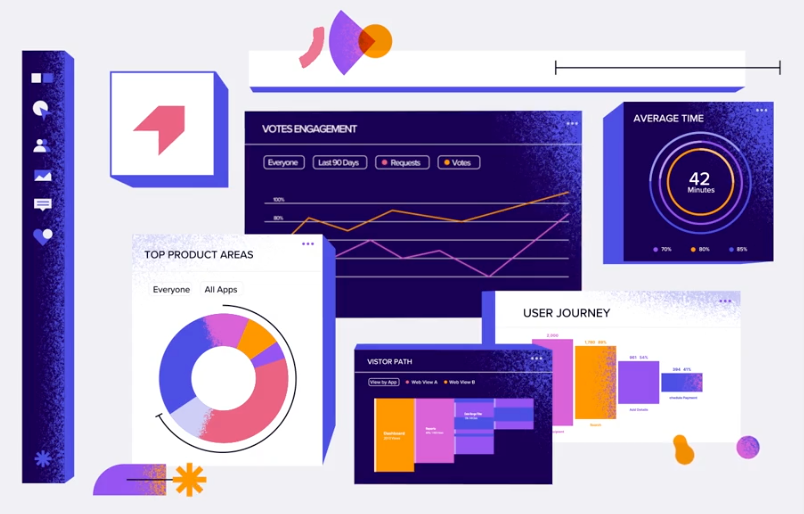
Pendo works by capturing behavior across applications and agent interfaces, turning those signals into product context, and helping teams act on what they learn. Product analytics shows what users do across Pages, Features, Track Events, funnels, paths, and segments. For supported web and extension apps, AI tagging helps keep Page and Feature coverage current by suggesting tags for review. Listen, sentiment, and replay help explain why users struggle. Guides and Orchestrate help teams communicate through in-app messages and cross-channel journeys. Pendo MCP and Agent Toolkit beta can make Pendo data, guide context, and approved agent workflows available to external AI tools and supported AI agents. Agent Analytics, Data Sync, and Command Center help teams measure whether products, apps, and agents are creating the outcomes that matter.
The business case for product experience software
What can you do with Pendo?
Pendo brings together capabilities for understanding behavior, improving experiences, guiding users, measuring agents, connecting data, and acting on product context. Core capabilities include:
Analytics: Understand how people and agents use software
Pendo analytics helps teams understand product usage, user behavior, account health, and AI agent performance. Teams can see which Pages, Features, and Track Events are adopted, where users drop off in funnels or paths, what visitors ask AI agents to do, and how behavior connects to retention, churn risk, support activity, productivity, and revenue analysis.
Product Analytics
Pendo product analytics helps teams understand Pages, Features, Track Events, funnels, paths, retention, segments, and drop-off across web and mobile applications. Teams can analyze behavior before and after important product events, compare segments, and connect product activity to feedback, guides, replay, and account context. For web and extension apps, AI tagging can strengthen the data foundation behind those insights
Agent Analytics
Pendo Agent Analytics helps teams understand how visitors interact with AI-powered conversational interfaces in their products. Teams can analyze prompts, full conversations where implemented, common intents, emerging use cases, issue themes, rage prompts, unsupported or error rates, traces, and changes in agent performance over time. Agent events can also be analyzed alongside the broader product journey in paths, funnels, dashboards, and other analytics views.
Web Analytics
Pendo Web Analytics connects website and product behavior so teams can understand which campaigns bring in engaged users and how visitors convert into meaningful product activity.
In-app guides: Act on product context in the moment
Pendo in-app guides help teams communicate with users inside their applications when users need support, education, or a nudge toward value. Teams can use overlay guides such as lightboxes, banners, and tooltips for onboarding walkthroughs, feature announcements, contextual help, surveys, warnings, and targeted messages. Teams with Guides Pro can also use embedded guides for contextual content that sits directly in the application experience.
Because guides depend on knowing where users are and what they have done, better Page and Feature coverage makes guide targeting more reliable. For web and extension apps, AI tagging can help teams keep that product structure current by suggesting tags for review, while Pendo Guides turn those signals into in-app action. Cross-channel guide-plus-email journeys should be routed to Orchestrate.
Use approved guide examples only: onboarding walkthroughs, feature announcements, contextual help, self-service support, feedback collection, and targeted event or training promotion. Keep the support-ticket reduction claim only if an approved source is linked.
Listen: Connect feedback to behavior
Pendo Listen helps teams capture, organize, validate, and plan around customer feedback. Teams can centralize feedback, use AI-assisted feedback insight to surface themes and trends, connect feedback to product usage, test ideas with targeted users, and promote validated ideas into Roadmaps.
Listen is strongest when feedback is connected to product context. Teams can see not only what users requested, but which users requested it, what they did before and after, whether related feedback appears in NPS, Salesforce, guides, Session Replay, or other connected sources, and how much account or revenue impact is attached.
How product teams use Listen
Centralize feedback: Capture user input in-app and connect feedback from approved sources such as Salesforce, guide polls, and other configured feedback channels.
Summarize and group themes: Use AI to surface patterns, duplicates, and emerging needs across large volumes of feedback.
Validate before building: Test ideas with targeted user segments and connect feedback to user behavior, account value, and segment data so teams can prioritize based on evidence.
Plan with confidence: Use validated feedback and usage data to promote ideas into Roadmaps and communicate why priorities changed.
Session replay: See the behavior behind the data
Pendo Session Replay gives teams the visual context behind product analytics across web and mobile.
On web apps, Replay captures supported DOM interactions such as mouse movements, clicks, and form submissions. On mobile apps, Replay captures supported screen views, taps, scrolls, and other mobile interactions. Teams can watch what happened before a drop-off, rage click, dead click, error click, negative feedback response, or support report. They can then use that evidence to decide whether the right next step is a product fix, an in-app guide, a mobile release improvement, or agent-response investigation.
Because Session Replay sits alongside analytics, feedback, sentiment, guides, and segments in Pendo, teams can move from a metric to the actual user experience behind it. AI can help with replay workflows where approved, such as suggested replays or summaries.
Unlimited replays, zero blind spots: Unlike session replay tools that cap recordings or charge per replay, Pendo captures every user interaction. Filter by segment, NPS response, guide click, or let AI surface "Suggested Replays" that reveal hidden friction patterns like rage clicks and declining usage trends.
Privacy-first by design: Three out-of-the-box privacy settings automatically mask sensitive data—passwords, PII, form inputs—applied on the client side before anything reaches Pendo. Fully customizable to your compliance needs (GDPR, CCPA, SOC 2).
One platform, complete context: Session replay lives inside Pendo alongside analytics, feedback, and sentiment data and it works across web and even on pendo for mobile. Spot a drop-off in your funnel? Click "Watch replay" and see exactly what broke. No context-switching, no blind spots. Just the full story of what users actually experience.
Data Sync: Connect product data to business outcomes
Pendo Data Sync delivers Pendo product-usage data plus account and visitor metadata to a data destination your organization controls. Teams can combine Pendo data with revenue, support, customer health, lifecycle, and account data for reporting, customer-health analysis, churn modeling, BI, data science, and AI workflows.
The tool brings product data to where business decisions happen, feeding into your BI platforms and cloud data warehouses like Snowflake without overloading data engineering teams. Export and blend all product usage data with business metrics to create a centralized source of truth.
Roadmaps: Prioritize from evidence
Pendo Roadmaps helps teams connect product priorities to feedback, usage, account impact, and validated ideas from Pendo Listen. Teams can promote ideas into roadmap initiatives and features, communicate what is planned, share timeline or now-next-later views, and explain how priorities change as new product signals arrive.
Orchestrate: Message automation made easy
Users skip onboarding steps in your product, but you can't reach them until they log back in. Usage drops, and you need to re-engage before they churn. You launch a new feature, but half your users never see the in-app announcement. Not every important moment happens when users are logged in.
Pendo Orchestrate is a user engagement platform that empowers product teams to create customer journey mapping through cross-channel communications—combining in-app guides with email—to reach users whether they're logged in or not, no marketing support needed.
Right message, right user, every time
Seamlessly integrated with Pendo's rich segmentation capabilities, this customer engagement platform lets you build personalized messaging sequences for different user roles, jobs to be done, or regions. Behavior-based triggers automatically send the right messages at the right moments based on in-app actions: send onboarding emails when users skip critical steps, launch re-engagement campaigns when usage drops, or announce features to targeted segments.
Understand impact and drive growth
Connect message metrics with in-app behaviors like feature adoption to measure impact. With intuitive no-code email tools, product, marketing, customer education, HR, and other teams can build automated journeys that extend influence beyond the application while driving feature adoption and user engagement.
AI: Turn product context into faster decisions and business outcomes
Pendo uses AI across the platform to help teams understand product and agent behavior, keep product data structured, surface insights, and act faster. AI capabilities include Leo, Agent Analytics, Pendo MCP, Agent Toolkit beta, Pendo Predict, AI-assisted guide creation, and AI tagging for supported web and extension apps. Together, these capabilities help teams ask questions, identify friction, measure agent performance, give supported agents product context, and turn behavioral signals into action.
Leo: Pendo's intelligence layer helps teams ask questions about product data, surface signals, and act without leaving their workflow.
AI tagging: For web and extension apps, Pendo can scan an application in the Visual Design Studio and suggest structured Page and Feature tags using DOM structure and routing configuration. Teams review and accept suggestions before anything is created, updated, or deleted.
Pendo MCP: Pendo can connect external AI clients such as Claude, Cursor, and ChatGPT to Pendo data so teams can query analytics, metadata, Pages, Features, Track Events, guides, feedback, Orchestrate, Command Center, and Agent Analytics where enabled.
Agent Toolkit: For supported agent setups, Pendo can equip an AI agent with Pendo capabilities such as guide delivery, session context, task nudges, frustration signals, and feedback submission through MCP and webhooks.
Agent Analytics: Pendo helps teams measure AI agent usage, prompts, conversations, use cases, issue themes, rage prompts, unsupported or error rates, and performance changes over time.
Pendo Predict: Pendo uses behavioral and business signals to build churn prediction models, identify churn risk, and sync prediction outputs back into Pendo or connected business systems.
Mobile: Understand and improve app experiences across screens
Pendo for Mobile helps teams understand and improve mobile applications through the Pendo Mobile SDK. Pendo supports major mobile frameworks and operating systems, including Android, iOS, React Native, and many others.
Teams can use mobile analytics to understand screen views, taps, swipes, app actions, Track Events, paths, funnels, app versions, operating systems, devices, releases, drop-offs, and frustrating journeys. They can also launch mobile guides such as carousels, tooltips, pop-ups, banners, polls, and walkthroughs.
Integrations: Connect Pendo data to the tools teams already use
Pendo integrates with CRM, collaboration, identity, product, support, and BI tools so product context can move into the workflows where teams make decisions. Examples may include Salesforce, HubSpot, Okta, Slack, Figma, G2, Looker, Domo, Zendesk, Jira, and cloud data warehouses, depending on the current approved integration list.
How to install Pendo
Pendo implementation depends on what you want to measure or improve. For web applications, teams install a lightweight JavaScript snippet and pass visitor and account data into Pendo. For mobile applications, teams use mobile SDKs for supported frameworks and operating systems. For employee or third-party applications, Pendo Launcher can support adoption and analytics without changing the underlying app.
For AI agent measurement, teams configure Agent Analytics based on where the agent runs and what data they can capture. Web and mobile implementations can support full conversation capture through the Conversations API or an agent SDK; browser extension apps can use prompt-only or full-conversation setup depending on configuration. Pendo MCP is a separate setup for connecting external AI clients to Pendo data, and Agent Toolkit beta requires MCP and/or webhook configuration for supported agent workflows.
Does Pendo use AI in its platform?
Yes. Pendo uses AI to help teams understand product and agent behavior, keep product data structured, surface insights, and act faster. AI capabilities include Leo, Agent Analytics, Pendo MCP, Agent Toolkit beta, Pendo Predict, AI-assisted guide creation, and AI tagging for supported web and extension apps. Together, these capabilities help teams answer questions, identify friction, measure agent performance, give supported agents product context, and turn behavioral signals into action.
What is Pendo used for?
Businesses use Pendo to understand how software is used, identify friction, guide users, collect feedback, measure and improve AI agents, and connect product behavior to business outcomes. Common use cases include:
User onboarding: Teams use Pendo Guides and product analytics to help new users reach important value moments faster.
Product adoption: Teams identify underused features, segment users by behavior, and launch targeted guidance to improve adoption.
In-app support: Teams use guides, Resource Center experiences, session replay, and feedback to help users solve problems inside the product.
AI agent measurement and optimization: Teams use Agent Analytics to see whether agents are being used, what visitors ask, where conversations break down, which issue themes emerge, and how agent performance changes over time.
Product discovery and planning: Teams use Listen, Validate, Roadmaps, and product analytics to connect feedback to behavior and prioritize with evidence.
Mobile experience optimization: Teams use Pendo for Mobile to analyze screen views, taps, swipes, app actions, paths, funnels, versions, devices, and drop-offs; replay mobile sessions where Session Replay requirements are met; capture feedback; and launch mobile guides across supported frameworks.
Software portfolio visibility and governance: IT and operations teams use Pendo Command Center to understand application usage, licenses, costs, shadow IT signals, AI app activity, and adoption opportunities across the software portfolio.
Revenue growth and churn prevention: Teams use product analytics, Data Sync, Pendo Predict, guides, and integrations to connect product behavior with account health, retention, churn risk, support activity, and revenue analysis.
Employee productivity and change management: Teams use Pendo to understand employee workflows, guide users through new processes, and reinforce adoption across internal applications.
Data activation: Teams use Data Sync and integrations to move Pendo product-usage data and account or visitor metadata into warehouses, cloud storage destinations, BI tools, CRM, support systems, and AI workflows.
How do companies use Pendo in practice?
Customers use Pendo to understand product and agent behavior, act on friction, and connect software usage to business outcomes. For detailed examples across product, IT, mobile, customer support, and AI agent use cases, explore Pendo customer stories.