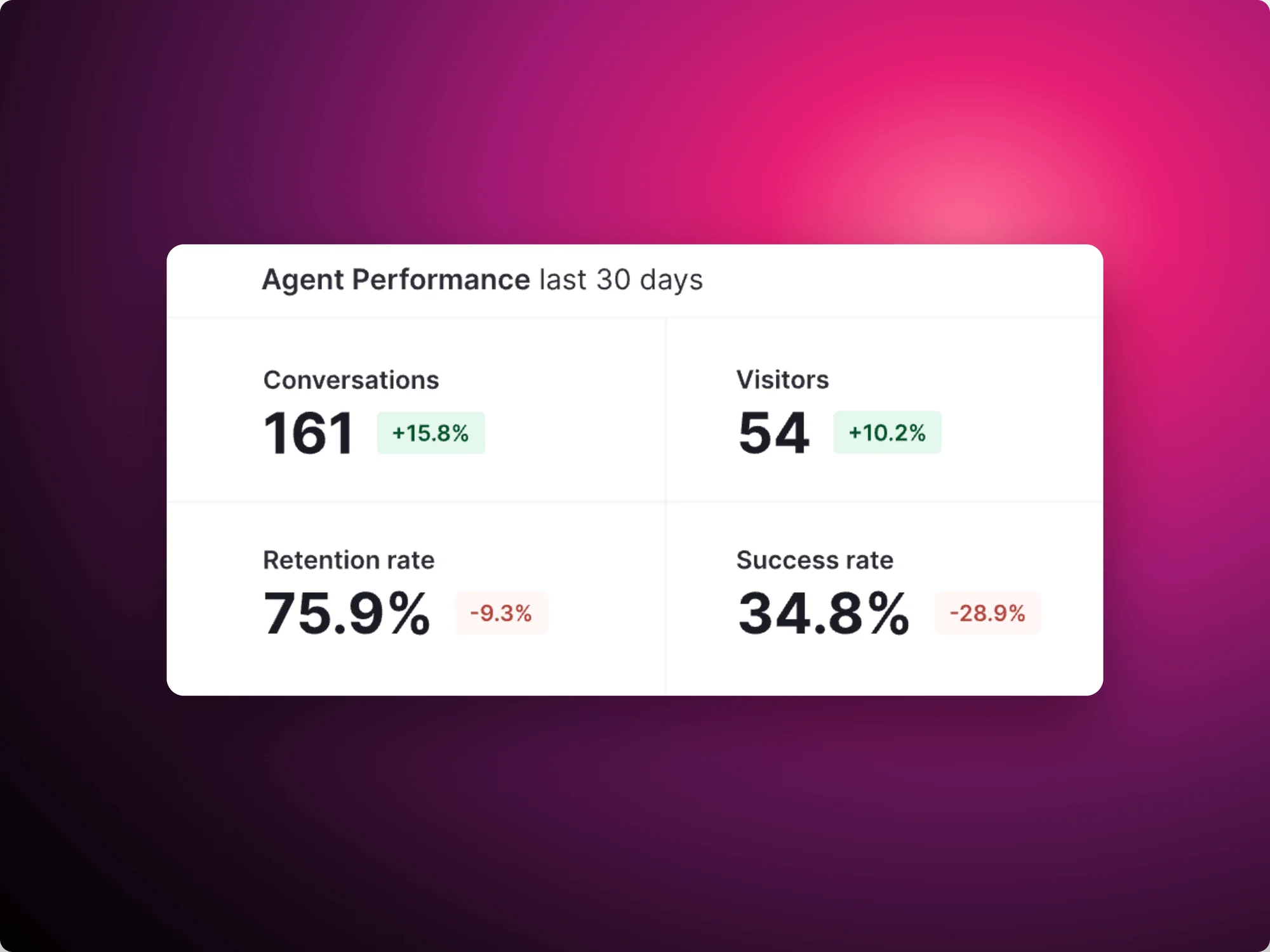
De nombreuses entreprises s'empressent de lancer des agents IA. Mais rares sont celles qui peuvent répondre à la question qui compte le plus : les utilisateurs en tirent-ils réellement de la valeur ?
Les outils traditionnels d'observabilité de l'IA peuvent vous indiquer si le système a répondu. Ils peuvent afficher la latence, le nombre de tokens, les appels d'outils et les traces. Mais pour les équipes produit, expérience numérique et direction, ce n'est pas suffisant. Une réponse techniquement réussie peut tout de même constituer une expérience utilisateur ratée.
Votre agent IA peut renvoyer une réponse et malgré tout décevoir l'utilisateur.
Les équipes produit ont déjà vécu ce scénario. Lorsque les utilisateurs se retrouvaient bloqués dans une interface traditionnelle, ils cliquaient encore et encore sur le même bouton inactif. Nous appelions cela des rage clicks, et ils sont devenus l'un des signaux de friction les plus utiles en matière d'analyse produit. Aujourd'hui, l'interface évolue des clics vers les conversations, et les signaux de frustration évoluent avec elle.
Voici le rage prompt.
Qu'est-ce qu'un rage prompt ?
Un rage prompt est une invite utilisateur qui signale de la frustration, de la confusion ou des échecs répétés lors d'une interaction avec un agent IA.
Rage prompts show up in ways any product team will recognize:
They often fall into one of several key patterns:
Pris individuellement, ce sont des désagréments. Agrégés, ils constituent une métrique. Pendo Agent Analytics mesure le taux de rage prompts comme le pourcentage de conversations contenant au moins une invite présentant de forts signaux de frustration. Ces signaux incluent les grossièretés, les tentatives répétées d'accomplir la même tâche, ou du texte saisi entièrement en majuscules.
Les rage prompts sont importants car ils capturent quelque chose que les métriques système manquent totalement : l'utilisateur se bat contre l'agent au lieu d'en être aidé.
Pourquoi les rage prompts sont les nouveaux rage clicks
Les rage clicks ont permis aux équipes produit d'identifier les moments où les utilisateurs étaient bloqués dans une interface traditionnelle. Les rage prompts remplissent le même rôle pour les interfaces conversationnelles et agentiques. Presque chaque signal de friction que vous suivez déjà possède un équivalent natif à l'IA :
| Traditional product experience | AI agent experience |
|---|---|
| Rage clicks | Rage prompts |
| Dead clicks | Unsupported requests |
| Repeated navigation | Repeated prompts |
| Form abandonment | Prompt abandonment |
| Support escalation | Human escalation after agent failure |
| Session replay | Conversation replay plus session replay |
| Funnel drop-off | Prompt-to-resolution drop-off |
La leçon tirée d'une décennie d'analyse produit s'applique toujours. Les utilisateurs déposent rarement un ticket lorsque quelque chose est confus. Ils cliquent plus fort, puis ils partent. Les agents IA compriment tout ce cycle en une seule fenêtre de conversation. La frustration est là, dans la transcription, si vous la cherchez.
À mesure que l'interface passe des clics aux conversations, les signaux de frustration évoluent eux aussi.
L'angle mort de l'observabilité IA traditionnelle
Soyons clairs : l'observabilité IA traditionnelle est nécessaire. Standardiser la façon dont les équipes capturent les appels de modèles, les comptages de tokens, les prompts, les complétions et les appels d'outils est important pour la visibilité de l'infrastructure, et les équipes d'ingénierie devraient absolument les suivre.
Mais ces métriques seules donnent une image incomplète. La télémétrie peut répondre à des questions telles que :
- Le modèle a-t-il répondu ?
- Combien de temps la réponse a-t-elle pris ?
- Combien de tokens ont été utilisés ?
- Quels outils ont été appelés ?
- L'agent a-t-il commis une erreur ?
Elle ne peut pas répondre pleinement à d'autres questions, telles que :
- L'utilisateur a-t-il fait confiance à la réponse ?
- L'utilisateur a-t-il accompli la tâche ?
- L'utilisateur a-t-il dû se répéter ?
- L'utilisateur a-t-il abandonné le flux de travail pour revenir à l'interface traditionnelle ?
- L'agent a-t-il réduit les tickets de support, ou en a-t-il créé ?
- L'agent a-t-il amélioré l'adoption et la rétention ?
Cette deuxième liste est là où les investissements en IA réussissent ou échouent. Les dirigeants veulent savoir si les gens utilisent les agents que l'entreprise a payé pour construire ou acheter, si les utilisateurs leur font confiance, s'ils font gagner du temps, et si tout cela se reflète dans l'activation, la rétention ou la déflexion du support.
L'observabilité IA jusqu'à présent vous a dit ce que l'agent a fait. Les données de comportement utilisateur vous disent si cela a fonctionné.
Le volume de prompts seul ne prouve pas la valeur de l'IA. L'intention accomplie, si. C'est pourquoi les agents IA ont besoin d'une observabilité de l'usage en complément de la télémétrie d'infrastructure : la couche d'expérience est là où la performance technique se traduit en résultats métier, ou non.
Les métriques des agents IA que les équipes produit devraient suivre
Si le taux de prompts rageurs est la métrique phare, elle fonctionne mieux en contexte. Voici le tableau complet que les équipes produit devraient surveiller :
| Metric | What it tells you |
|---|---|
| Rage prompt rate | Where users are frustrated with the agent |
| Unsupported request rate | What users want that the agent cannot currently handle |
| Issue rate | How often conversations contain a detected problem |
| Error rate | How often conversations hit a technical failure |
| Conversation depth | Whether longer interactions signal engagement or struggle |
| Repeat and refined prompts | Where the agent misunderstood, and how hard users work to be understood |
| Human escalation after agent use | Where self-service failed |
| Agent-assisted task completion | Whether AI helped users finish meaningful workflows |
| Agent adoption and retention by segment | Which audiences rely on the agent, and which avoid it |
| Feedback rate | Where users explicitly accept or reject agent responses |
| Agent-to-feature pathing | What users do before and after engaging with AI |
| Workflow speed, agentic vs. traditional | Whether the agent is actually faster than the old way |
Il vaut la peine de s'arrêter ici pour réfléchir à la profondeur des conversations, car il s'agit de la métrique la plus souvent mal interprétée de cette liste. Des conversations longues peuvent indiquer un utilisateur engagé qui explore un agent performant. Elles peuvent aussi signifier qu'un utilisateur frustré reformule la même demande cinq fois. La profondeur ne devient significative que lorsqu'on la combine avec des signaux de frustration et résultats. C'est la différence entre mesurer l'utilisation et mesurer l'utilisation utile.
(Pour un traitement plus approfondi de l'observabilité et de la mesure de l'IA, consultez le guide de Pendo sur les KPI essentiels pour mesurer les performances des agents IA.)
Ce que les rage prompts révèlent sur votre produit
Voici ce que la plupart des équipes manquent : les invites de rage ne sont pas seulement des signaux d'échec de l'agent. Elles sont également essentielles à la découverte produit.
Lorsque vous regroupez les invites frustrées par thème, flux de travail et segment, des tendances émergent qui pointent bien au-delà de l'agent vers des problèmes au sein de votre produit. Par exemple :
- Documentation manquante ou insuffisante. Les utilisateurs interrogent l'agent parce qu'ils n'ont pas trouvé la réponse ailleurs.
- Workflows confus. L'agent est sollicité pour effectuer des tâches que l'interface rend difficiles.
- Lacunes dans la couverture de l'agent. Les demandes non prises en charge constituent une liste classée de ce que les utilisateurs souhaitent ensuite.
- Sources de récupération défaillantes. L'agent répond avec assurance à partir de contenus obsolètes ou incorrects.
- Terminologie floue. Les utilisateurs et le produit emploient des mots différents pour désigner la même chose.
- Besoins non satisfaits de la feuille de route. Les demandes répétées de fonctionnalités qui n'existent pas encore constituent une recherche gratuite sur la voix du client.
Une augmentation des invites de frustration autour d'un flux de travail spécifique est rarement un simple problème de modèle. C'est une carte indiquant où l'expérience de votre produit et les attentes de vos utilisateurs divergent.
Comment réduire les rage prompts
La détection des rage prompts n'est que le début. L'objectif est bien sûr de les réduire et d'améliorer votre produit dans le même temps. Voici une boucle pratique pour transformer les rage prompts en améliorations :
1. Regroupez les principaux thèmes de prompts de frustration. Classez les prompts exprimant de la frustration par sujet, flux de travail, persona et segment de compte. Cinq prompts en colère sur la même tâche constituent un schéma récurrent.
2. Distinguer les problèmes liés à l'agent des problèmes liés au produit. Chaque invite de rage ne signifie pas que le modèle est mauvais. Parfois, le flux de travail sous-jacent est confus et l'agent est simplement l'endroit où la frustration se manifeste. Observer la session en parallèle de la conversation rend la différence évidente. En associant Session Replay avec les données de conversation montre ce que l'utilisateur faisait au moment où l'interaction a mal tourné.
3. Combler les lacunes de couverture de l'agent. Utilisez les demandes non prises en charge et les invites répétées pour déterminer où l'agent a besoin de meilleures instructions, sources de récupération, outils ou flux de travail.
4. Guidez les utilisateurs au bon moment. Lorsque les utilisateurs rencontrent des difficultés avec la même tâche à plusieurs reprises, les guides intégrés à l'application peuvent résoudre la friction avant qu'elle ne se transforme en message de frustration ou en ticket d'assistance.
5. Comparez les flux de travail agentiques et traditionnels. Si les utilisateurs abandonnent l'agent et effectuent la tâche manuellement, c'est que l'agent génère des frictions. Mesurer le temps d'exécution des tâches sur les deux parcours permet de trancher le débat avec des données.
6. Suivez la tendance, pas l'instantané. Surveillez le taux de prompts de frustration, le taux de demandes non prises en charge, la complétion des tâches et les retours après chaque modification significative apportée à l'agent. L'objectif n'est pas seulement d'observer les défaillances de l'IA, mais de boucler la boucle et d'améliorer l'expérience.
Comment Pendo aide les équipes à comprendre les expériences des agents IA
Tout ce qui est décrit ci-dessus nécessite de voir la conversation de l'agent et le comportement du produit environnant en un seul endroit. C'est pour cela qu'Pendo Agent Analytics a été conçu.
Avec Agent Analytics, les équipes peuvent :
- Analysez les conversations et les invites pour voir ce que les utilisateurs demandent, segmenté par cas d'usage, compte et type d'utilisateur
- Détectez automatiquement les invites de rage, avec le taux d'invites de rage, le taux de problèmes, le taux de demandes non prises en charge et le taux d'erreurs suivis dans le temps
- Observez ce qui s'est passé autour de la conversation avec Session Replay, où les interactions des agents sont annotées directement sur la chronologie de la lecture
- Connectez les agents à l'ensemble du parcours en utilisant les événements d'agents IA dans les rapports de chemins, d'entonnoirs et de fidélisation, aux côtés des analyses produit
- Comparez les versions d'agents avec des expériences pour mesurer comment les modifications apportées aux modèles, aux outils ou à la configuration affectent les indicateurs clés
- Prouvez l'impact métier en reliant l'utilisation des agents à la rétention, à la complétion des tâches et à la vitesse des workflows par rapport à l'interface utilisateur traditionnelle
La prochaine ère de l'observabilité de l'IA sera mesurée non seulement par les performances des agents, mais aussi par la réussite des utilisateurs. Les entreprises qui tireront parti des agents IA sauront détecter les points de friction, comprendre le comportement des utilisateurs et relier les interactions des agents aux résultats commerciaux.
Découvrez comment Pendo Agent Analytics vous aide à détecter les invites de rage, à comprendre l'adoption des agents IA et à relier les interactions des agents à de véritables résultats produit. Demander une démo.