Josh Royse passe beaucoup de temps à aider les équipes à atteindre le moment pour lequel Pendo existe vraiment : celui où vous commencez à comprendre comment votre produit est utilisé. En tant que Customer Engineer chez Pendo, il est la personne présente dans la salle lorsque cette transition s'opère, et il vous dira qu'elle a toujours commencé au même endroit.
Avant que tout ne s'emboîte, vous devez décrire votre produit à Pendo. Page par page, fonctionnalité par fonctionnalité, en utilisant des conventions de nommage appropriées, des zones produit et des descriptions. C'est simplement ce qu'une analyse produit pertinente a toujours exigé de chaque outil de la catégorie.
"Pour une application de taille correcte, le balisage prenait deux semaines", a déclaré Josh. "Maintenant, je m'en sors en quelques jours."
C'est grâce au balisage par IA, désormais disponible en bêta ouverte pour tous les clients Pendo. Et la façon la plus rapide de comprendre ce qu'il fait, c'est d'entendre ce qui s'est passé lorsque Josh l'a utilisé pour la première fois avec un client qui évaluait Pendo.
Il a ignoré l'environnement de démonstration épuré et a activé le balisage par IA directement sur leur abonnement, en balisant leur produit réel lors de la session. La réaction de leur équipe a été immédiate : "C'EST ça que je veux que l'IA fasse pour nous."
Voilà ce que les personnes produit ayant passé un temps considérable sur l'instrumentation ont soudainement constaté : cela s'est réduit à une ou deux heures de travail.
Ce que le balisage par IA rend possible
La fonctionnalité revêt une importance différente selon l'endroit où vous en êtes avec Pendo.
Si vous êtes nouveau, cela signifie que vous pouvez disposer d'une couverture analytique significative dès votre première semaine, avant même d'avoir écrit un seul sélecteur CSS.
Si votre produit évolue en permanence, le balisage par IA suit le rythme. Après une mise en production, les nouvelles pages et fonctionnalités apparaissent automatiquement dans le panneau de suggestions, prêtes à être examinées et acceptées. Le backlog de maintenance qui suivait autrefois chaque sprint ne s'accumule plus comme avant.
Si vous utilisez Pendo depuis des années et que vos balises se sont progressivement dégradées à chaque livraison, le balisage par IA fait remonter ce qui est obsolète, ce qui est cassé et ce qui manque, ainsi que des suggestions pour tout ce qui est nouveau. La couverture dont dépendent vos analyses, vos guides et votre IA reste à jour sans la charge de travail associée.
Comment fonctionne le balisage IA dans Pendo
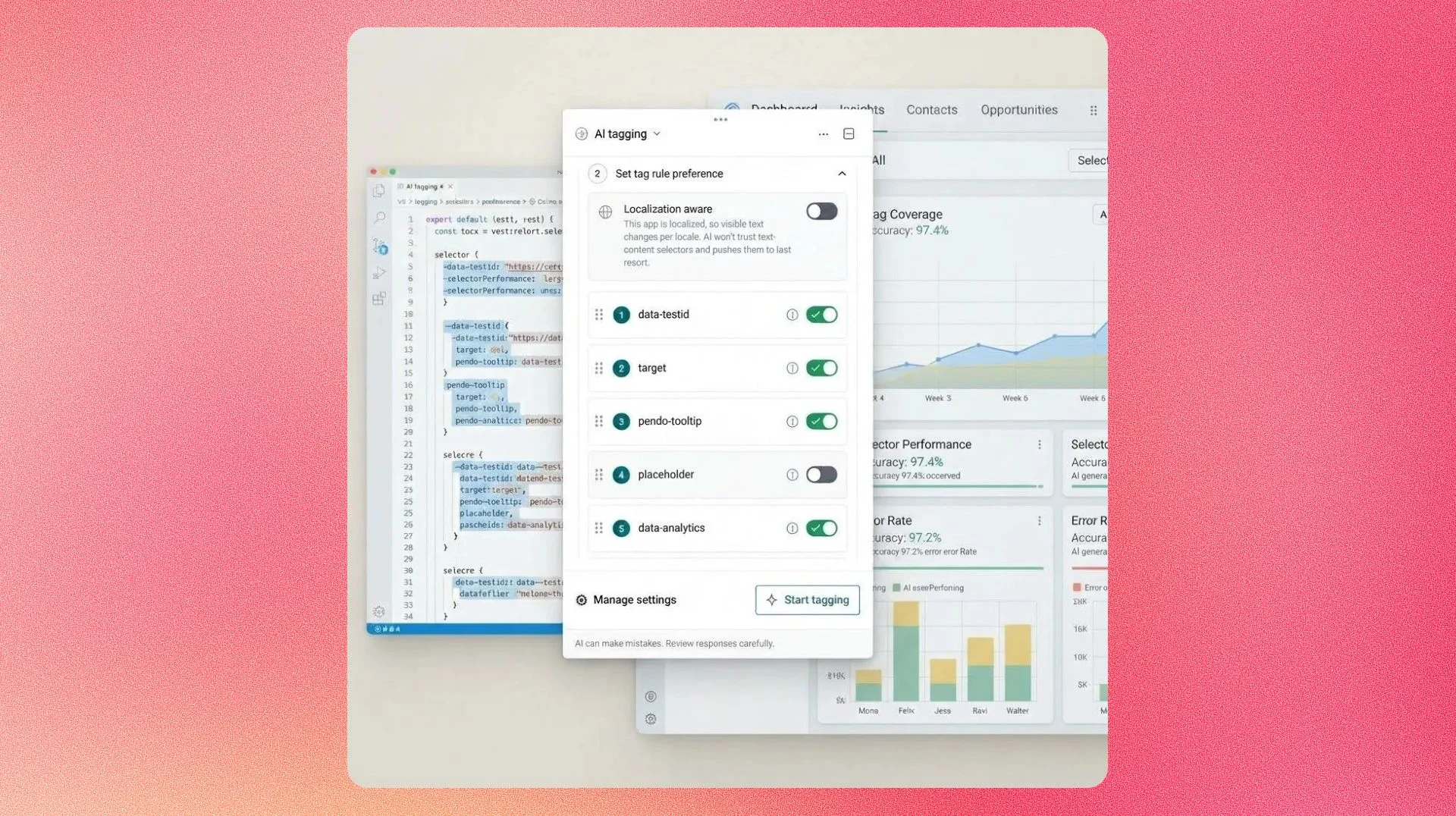
Lorsque vous ouvrez le concepteur, le balisage IA se lance par défaut, lit la configuration de routage et le DOM de votre application, et diffuse des suggestions dans le panneau au fur et à mesure qu'elles sont prêtes.
- Suggestions de balisage incluent un nom proposé, une règle, une description, un domaine produit et un lien page-vers-fonctionnalité.
- Survolez n'importe quel élément de votre application, et le panneau accède directement à la suggestion correspondant à cet élément, de sorte que l'examen de ce que vous regardez prend une seconde plutôt qu'une recherche.
- Indicateurs de confiance signalent là où l'IA est certaine et là où l'intervention humaine apporte une valeur ajoutée.
- Les données sensibles sont anonymisées côté client avant de quitter votre application.
- Rien n'est appliqué tant que vous ne l'acceptez pas explicitement. Vos balises existantes ne sont jamais modifiées sans votre approbation. Vous gardez le contrôle de ce qui entre dans votre abonnement.
Une couverture précise des balises va bien au-delà de tableaux de bord plus propres
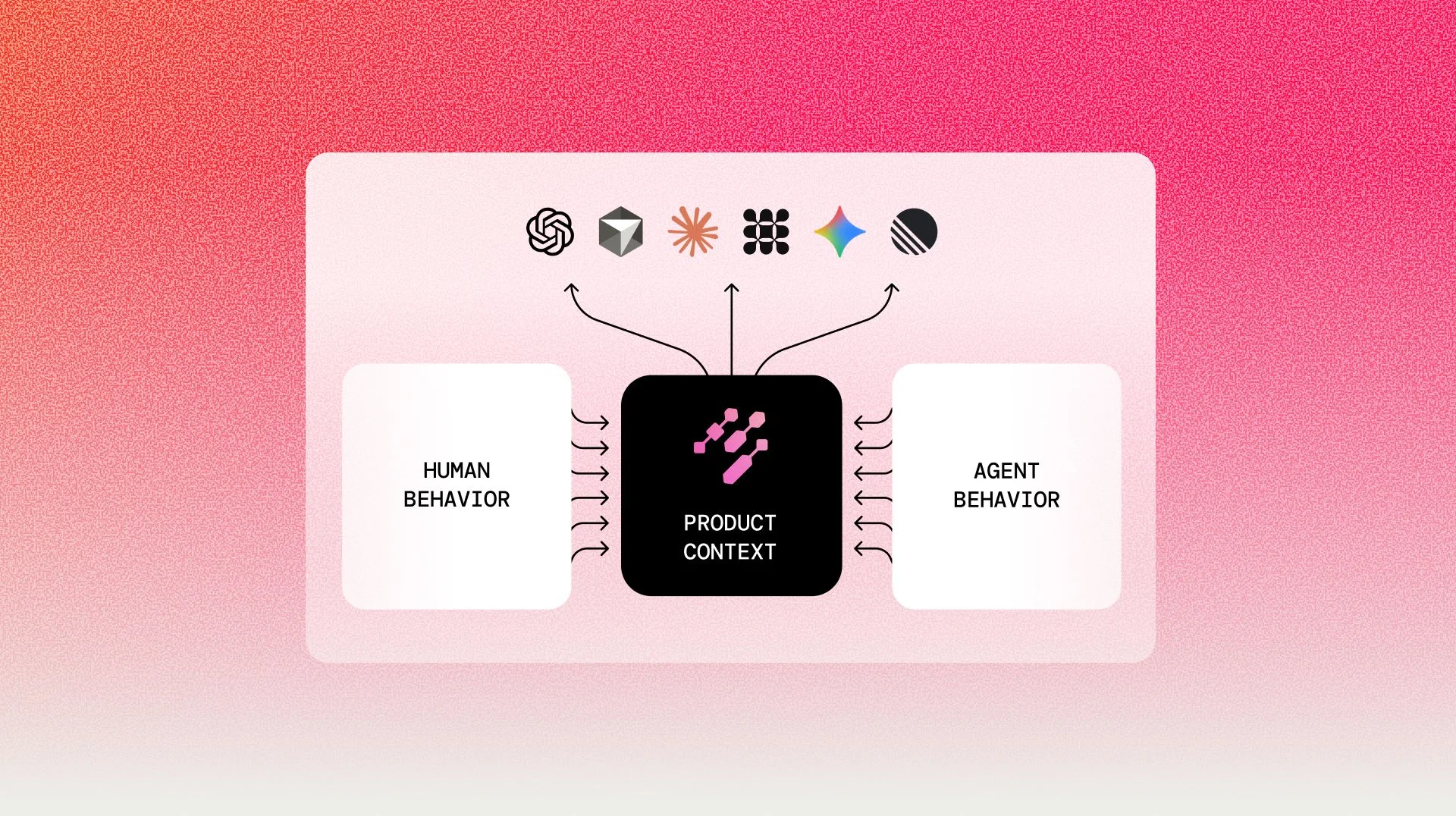
Les tags sont le fondement sur lequel repose tout le reste dans Pendo : le ciblage des guides, les segments, les signaux proactifs de Leo et les workflows propulsés par MCP. Comme Les capacités de l'IA ont élargi le champ des possibles, et la demande sur cette base a augmenté avec elles.
MCP permet désormais aux équipes de produire un volume bien plus important de rapports et d'analyses que quiconque pourrait réaliser manuellement, en intégrant des données produit structurées dans des flux de travail automatisés à une échelle qui n'était pas envisageable auparavant.
Mais le résultat n'est aussi bon que les données sous-jacentes : plus de rapports alimentés par l'IA signifie que vous avez besoin d'une couverture plus structurée et nommée sur laquelle vous appuyer. Le balisage par IA est la façon dont vous construisez et maintenez cette base sans que la charge de travail n'augmente en parallèle.
Lorsque la couverture est incomplète, les guides ratent leur audience, les segments ne reflètent pas la réalité, et chaque fonctionnalité d'IA (y compris celles qui effectuent des tâches que vous n'auriez jamais le temps de faire vous-même) opère sur une image partielle.
Pourquoi l'approche de Pendo en matière de balisage par IA est différente
Deux catégories d'outils ont tenté de résoudre ce problème auparavant, et aucune n'y parvient vraiment :
- Les outils d'autocapture enregistrent tout par défaut, ce qui peut sembler être la solution jusqu'au moment où vous vous retrouvez face à des centaines d'événements bruts et sans nom, sans structure, sans hiérarchie et sans zones produit. Vous avez une couverture, mais vous devez encore donner du sens à tout cela avant que quoi que ce soit soit utile pour l'analyse, les guides le ciblage ou la segmentation. L'investissement évolue ; il ne disparaît pas.
- D'autres outils utilisent l'IA pour maintenir le bon fonctionnement des guides intégrés lorsque l'interface change, en reconnaissant automatiquement les éléments afin que les visites guidées ne se cassent pas lorsqu'un bouton se déplace. C'est une fonctionnalité utile, mais il s'agit d'un outil de maintenance des guides. Il n'identifie ni ne nomme les pages et les fonctionnalités, n'étiquette pas votre flux d'événements, et ne produit pas la couverture produit structurée dont dépendent les analyses et le ciblage des guides. Les clients sur ces plateformes gèrent toujours leur structure produit manuellement.
Le balisage par IA résout les deux problèmes à la fois : il identifie ce qui mérite d'être nommé, le nomme avec une hiérarchie et des domaines produit, et le rend immédiatement utilisable dans les analyses, les guides et l'IA, sans étape manuelle supplémentaire.
Une couverture complète des éléments essentiels
C'est là que Josh est direct sur quelque chose d'important : le balisage par IA n'est pas conçu pour étiqueter automatiquement l'ensemble de votre application, et c'est un choix délibéré.
« J'ai créé 300 suggestions de balises en une seule session », dit-il. « Mais je devais encore décider lesquelles de ces 300 étaient vraiment pertinentes. Une page "À propos" n'a probablement pas besoin d'être balisée. Il faut quand même réfléchir. »
Vous connaissez votre produit et vos cas d'usage mieux que n'importe quelle IA. Le balisage par IA supprime le travail de terrain, et la réflexion sur ce qui compte reste entre vos mains. L'objectif est une couverture complète des bonnes choses, pas une couverture de tout.
Commencez dès aujourd'hui
Le marquage par IA est en version bêta ouverte pour tous les utilisateurs de Pendo. Un administrateur d'abonnement peut l'activer dans Paramètres > Accès IA > Marquage par IA. De là, accédez à Produit > Fonctionnalités, sélectionnez Marquer les fonctionnalités, et le marquage par IA s'ouvre par défaut dans le concepteur.
Pour une présentation complète de la configuration, des conventions de nommage et de la configuration des sélecteurs, consultez la présentation du balisage IA et Tag with AI dans le centre d'aide.