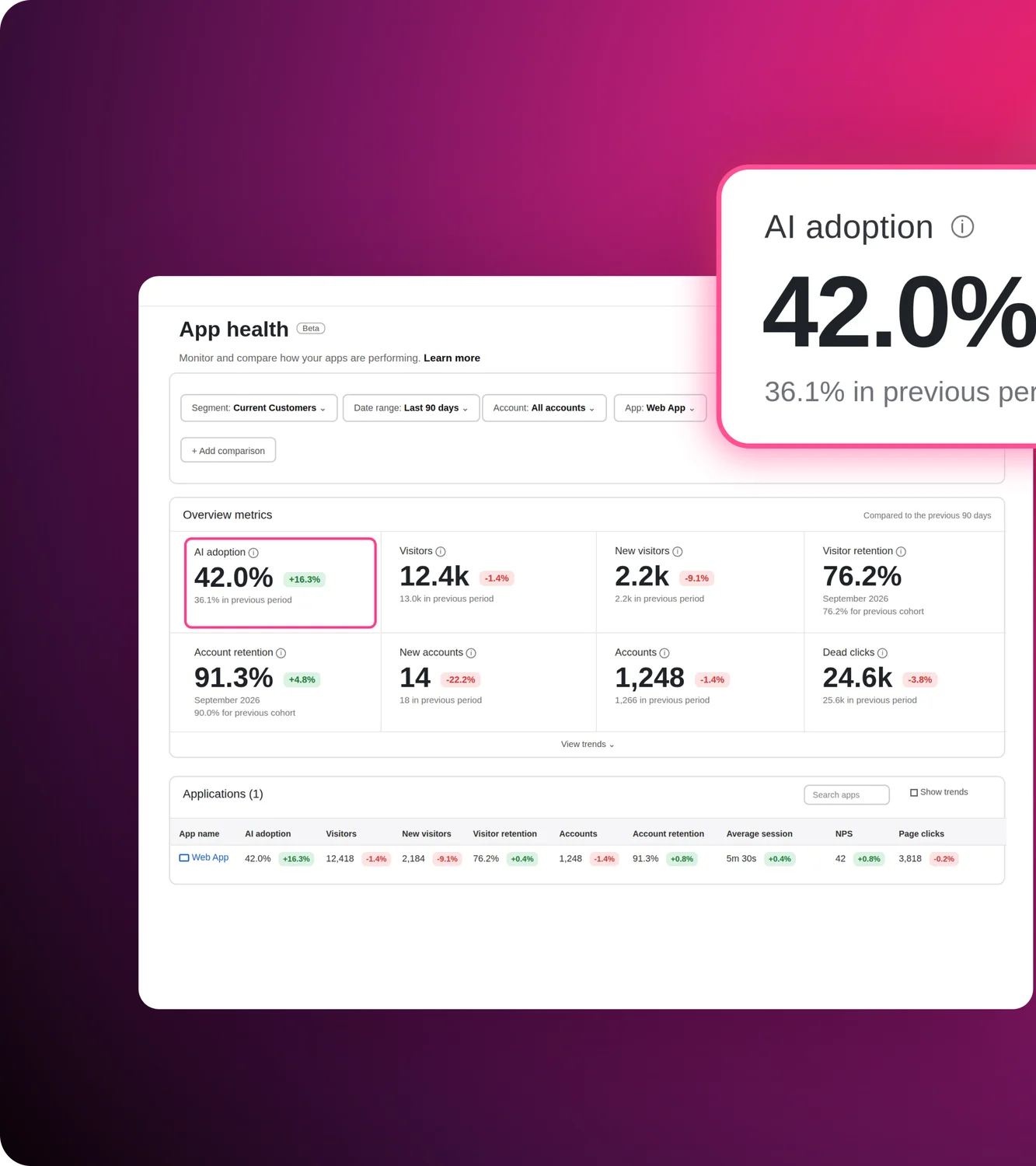
Agora alguém faz a pergunta que toda equipe de produto que desenvolve IA eventualmente enfrenta: ela é realmente útil?
Não "está funcionando," sua equipe de infraestrutura pode responder isso. A pergunta mais difícil é se os usuários estão interagindo com ela, se ela está lidando com o que lhe é apresentado e se a experiência está gerando valor ou frustrando silenciosamente as pessoas até desistirem.
Essas respostas não estão nos seus logs de servidor.
É essa lacuna de observabilidade e adoção de IA que o Pendo preenche de forma única. Ele ajuda as equipes a entender como os usuários interagem com agentes de IA, o que eles perguntam, onde os agentes falham, quais casos de uso impulsionam a adoção e se as interações com os agentes melhoram os fluxos de trabalho ou criam novos atritos.
E é uma disciplina diferente do que a maioria dos conteúdos sobre "observabilidade de agentes" aborda. Pesquise o termo e você encontrará guias sobre rastreamento distribuído, captura de spans, monitoramento de tokens e padrões OpenTelemetry.
Essa é uma infraestrutura valiosa para os engenheiros que mantêm o agente em funcionamento. Mas as equipes de produto precisam de uma camada diferente de visibilidade: o que os usuários estão realmente fazendo, se estão tendo sucesso, onde as coisas quebram e se alguma delas impacta os resultados que importam para o seu negócio.
Esta publicação detalha essa camada. Os cinco sinais que vale a pena monitorar desde o primeiro dia, os dois pontos onde as equipes se prejudicam ao ignorá-los e como é quando a visibilidade certa está em vigor.
A observabilidade de IA tem duas definições
Quando os engenheiros falam sobre observabilidade de agentes, ou Observabilidade de IA, eles significam algo específico: rastrear cada chamada de modelo, capturar invocações de ferramentas, monitorar latência, custo de tokens e taxas de falha no nível de infraestrutura.
Mas quando produto equipes falam sobre isso, elas querem dizer algo um pouco diferente: entender como usuários reais interagem com o agente, o que estão tentando realizar, se a experiência está realmente atendendo às suas expectativas e se esse investimento em IA está valendo a pena.
Essas perguntas separadas para públicos diferentes são complementares e devem coexistir. A observabilidade de infraestrutura diz como seu agente está funcionando, e a observabilidade de uso do agente de IA diz se ele está agregando valor.
A confusão entre os dois é parte do motivo pelo qual as equipes de produto investem pouco em observabilidade de agentes. Elas presumem que o monitoramento feito pelos seus pares de engenharia cobriu o quadro completo, mas não é assim. Os dados de rastreamento podem dizer que uma conversa foi concluída sem erros, mas não que o usuário fez a mesma pergunta quatro vezes, não obteve a resposta de que precisava e abandonou o seu agente. Eles não conseguem dizer que um tipo específico de solicitação consistentemente fica sem resposta, ou que um determinado grupo de contas nunca interagiu com o agente.
Esses são os sinais que orientam as decisões de produto. E eles exigem um tipo completamente diferente de observabilidade.
5 sinais de uso de agentes de IA que valem a pena monitorar, desde as primeiras fases beta
Sem mensuração, você toma decisões de roadmap e crescimento sem dados para embasá-las.
1) Volume de prompts e tendências
O uso está crescendo, estagnando ou caindo após o pico de lançamento? Uma curva de retenção é o sinal mais honesto de se os usuários consideram o agente valioso o suficiente para voltar a usá-lo. A estagnação após a janela inicial de novidade merece investigação antes de se tornar um padrão.
2) Distribuição de casos de uso
O que os usuários estão realmente perguntando? É aqui que a maioria das equipes encontra sua primeira surpresa real. Os casos de uso que são adotados nem sempre são aqueles para os quais o produto foi projetado. Entender a distribuição de intenções indica onde aprofundar a cobertura, onde melhorar as respostas e, ocasionalmente, revela um caso de uso de alto valor que você nunca antecipou.
3) Sinais de falha e frustração
Onde os usuários repetem o mesmo prompt consecutivamente, recebem respostas sem suporte ou abandonam uma conversa no meio? Alguns estão xingando o seu agente. Alguns estão digitando em letras maiúsculas. Eles não estão abrindo tickets — estão apenas expressando sua frustração em uma caixa de texto e esperando que algo mude.
Esses sinais são mais valiosos do que o ocasional "joinha para baixo" voluntário. Um joinha para baixo exige um usuário ainda engajado o suficiente para dar feedback. Prompts raivosos e entradas em letras maiúsculas vêm de usuários genuinamente travados, e aparecem independentemente de alguém decidir avaliar a experiência. Também não são ruído aleatório. Eles se agrupam em torno de lacunas específicas de cobertura ou comportamento do agente.
4) Adoção por segmento
Quais contas ou coortes de usuários se engajam de forma consistente? Quais experimentaram o agente uma vez e desapareceram? Dados de adoção no nível de conta indicam se você tem um problema de alcance, um problema de qualidade ou ambos. Também revelam quais segmentos precisam de atenção antes da próxima conversa de renovação.
5) Impacto do agente no comportamento geral do produto
O uso do agente se correlaciona com melhores resultados no restante do produto? Ele se correlaciona com conclusão de tarefas mais rápida, menor volume de suporte e retenção mais forte? Ou a atividade do agente existe de forma isolada, desconectada dos resultados que seu negócio realmente valoriza? A resposta a essa pergunta é o que transforma um recurso de IA em um caso de negócio.
Por que a observabilidade de agentes é importante
Escalando o que funciona
Quando seu agente ganha tração com um segmento de usuários, o instinto é considerar isso uma vitória e seguir em frente. Mas a adoção sem visibilidade é frágil.
Você precisa saber quais casos de uso estão gerando engajamento, quais segmentos de usuários estão obtendo mais valor e como o uso do agente se conecta aos resultados que importam (como retenção, conclusão de tarefas e impacto na receita). É assim que você constrói o argumento para investir mais, expandir a cobertura e priorizar a próxima capacidade com confiança, em vez de agir por intuição sentir.
Corrigindo o que quebra antes que os usuários desistam
Este é o problema mais difícil (e também o que a maioria das equipes subestima).
A IA não é perfeita. Um usuário chega, faz uma pergunta razoável, recebe uma resposta ruim ou incompleta e vai embora. Ele não abre um chamado. Não preenche uma pesquisa. Simplesmente não volta mais.
Essa queda é o balde furado do software agêntico, e é exatamente o que a observabilidade de IA agêntica no nível do produto foi projetada para detectar. Quando uma reclamação aparece em uma QBR, ou alguém levanta a mão em uma chamada com o cliente, você já perdeu usuários que bateram na mesma parede e foram embora silenciosamente. O ciclo de feedback que normalmente detecta problemas do produto não funciona aqui. Os usuários que têm as piores experiências também são os menos propensos a te contar sobre elas.
As equipes que se mantêm à frente disso não estão esperando o feedback para encontrar os problemas. Elas estão observando os sinais: prompts repetidos, taxas de solicitações não suportadas, padrões de abandono de conversa. Quando você consegue ver que um tipo específico de pergunta está falhando consistentemente, você pode agir em dias em vez de trimestres. Isso não é apenas uma melhor experiência do experiência. É uma estratégia de retenção.
O que o Agent Analytics revela como plataforma de observabilidade de IA
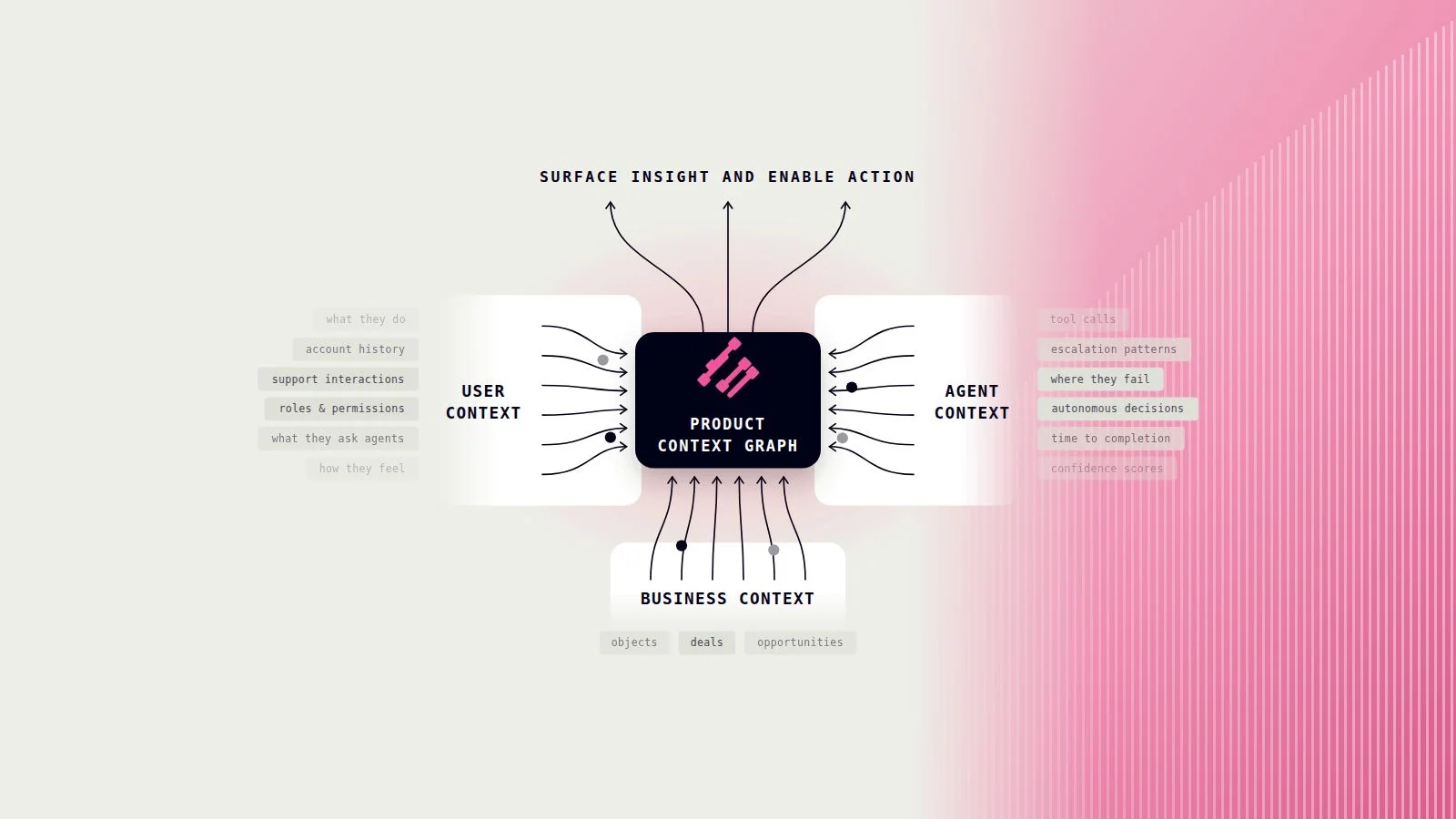
Pendo Agent Analytics foi desenvolvido especificamente para equipes de produto que lançam agentes dentro de seus produtos. Ele captura como os usuários interagem com a IA conversacional: o que perguntam, como as conversas se desenrolam, onde as coisas dão errado e como o uso do agente conecta-se a tudo o que os usuários fazem no seu produto.
Veja o que ele revela:
- Conversas e prompts em escala. Veja os prompts reais que os usuários enviam e os threads completos de conversa, segmentados por caso de uso, tipo de usuário e conta. Não agregados. A coisa real.
- Detecção automática de casos de uso. O Agent Analytics agrupa prompts por similaridade semântica para revelar os casos de uso que seus usuários realmente se importam, incluindo aqueles para os quais você não desenvolveu. Você não precisa marcar ou categorizar intenções manualmente. Os padrões emergem por conta própria.
- Detecção de problemas e rastreamento de prompts de frustração. Falhas e sinais de frustração são sinalizados automaticamente. Quando os usuários estão se repetindo, chegando a becos sem saída ou abandonando conversas no mesmo ponto, você vê isso sem precisar procurar.
- Experimentos. Compare diferentes configurações de agente, prompts ou alterações de cobertura lado a lado. Meça o que realmente melhora os resultados, em vez do que você acha que pode melhorar.
- Contexto entre produtos. O Agent Analytics vive dentro do Pendo, o que significa que você pode conectar o comportamento do agente a tudo o que os usuários fazem no seu produto. Veja o que os usuários fazem antes e depois das interações com o agente, como o uso do agente se correlaciona com a retenção e a conclusão de tarefas, e onde os agentes se encaixam na jornada mais ampla do produto.
Como Christopher Penney, líder de produto na OSAIC, disse:
"O Agent Analytics abre um nível totalmente novo de insight sobre as necessidades dos clientes. O que eles estão enfrentando dificuldades, o que estão perguntando, sem precisar perguntar diretamente a eles."
A maioria das equipes descobre tarde demais que as métricas do dia de lançamento não se sustentam porque não tinham a camada de observabilidade necessária para captar os sinais antes que se transformassem em churn.