What types of in-app guides can you create with Pendo? The answer includes everything from feature announcements and onboarding walkthroughs to A/B tested experiments and adaptive branching guides, all without writing code. Here's your complete guide to leveraging in-app messaging for better product adoption.
No matter what a business sells, the majority of its customer experience happens digitally, whether it's in a web application, mobile application, or both. Still, companies communicate with customers in a variety of ways outside of this key channel. They send emails, make announcements on social media, and rely on weekly or monthly check-in meetings.
The better strategy? Communicating with different types of in-app guides, when customers are already engaged with your product and more likely to read an announcement or follow a call to action. With in-app guidance software, you can reach the right users, with the right message, at the right time in their journey.
In-app messaging and personalization, no coding required
Since in-app guides can exist in many different formats and styles, here’s a quick overview of four default guide layouts in Pendo:
- Lightbox: A lightbox is a customizable box that appears above your app or page. It can take on any size or dimension and contain any type of content, like text, images, or a video. Lightboxes can be used for almost anything, but are excellent tools to make general announcements.
- Banner: Banners function similarly to lightboxes, but appear on either the very top or bottom of a page and span across the entire width. This makes them great for announcing an important message without obstructing a user’s entire screen.
- Tooltip: Tooltips are used to give users brief, contextual explanations of particular features. They can be placed anywhere on a page, and be located relative to a specific element.
- Poll: Polls give you an easy way to collect direct feedback from users. You can do this using a text box for open-ended responses, a numbered scale, or multiple choices.
- Embedded guide: Embedded guides integrate directly into your product interface as native-looking components. Unlike overlays that appear on top of your application, embedded guides become part of the page itself, creating a seamless user experience that doesn't interrupt workflows.
In Pendo, you’ll find in-app guides for each of the above that are pre-built and ready to use and edit. You can also create a custom layout that combines aspects from multiple types (for example, a lightbox that also contains a poll or a banner that leads to a walkthrough).
The best part? You can build all of these in-app messaging yourself—no coding or asking your engineer required.
Advanced guide capabilities for personalized experiences
Beyond basic layouts, Pendo offers sophisticated features that help you optimize and personalize your in-app guidance:
Guide Experiments: How do you know which in-app message drives better results? Guide Experiments let you A/B test different versions of your guides to optimize messaging, design, and conversion rates. Test headlines, call-to-action buttons, guide flows, or entire onboarding sequences—then use data-driven insights to determine which variation performs best with your users.
Guide Branching: What if your in-app guides could adapt to each user's unique needs? Guide branching uses conditional logic to create personalized paths based specific elements or Features on the page This means a Free user might see one path while a Paid user receives entirely different guidance—all from a single guide configuration.
Dark Mode for Guides: Does your product support dark mode? Your guides should too. Dark mode for guides automatically adapts guide styling to match user interface preferences, ensuring your in-app messaging remains accessible and visually comfortable whether users prefer light or dark themes. This modern design capability improves accessibility and reduces eye strain for users working in low-light environments.
To help inspire your own strategy, here are ten types of in-app guides you can easily create in Pendo.
1. New feature announcement
Recommended layout: Lightbox or tooltip
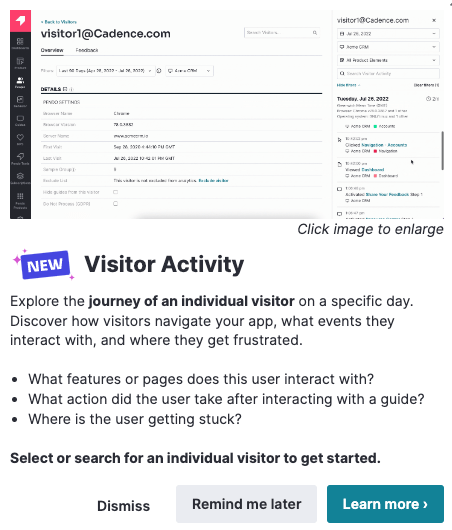
There’s no better place to announce a new feature than within your product itself. And with Pendo, you can target your in-app announcement to the exact segment of users who will find the new functionality most valuable. While a lightbox is a great way to grab users’ attention for a launch, for smaller releases you might opt for a more subtle communication like a tooltip.
Pro tip: Use guide experiments to test which announcement style drives higher feature adoption—a bold lightbox or a contextual tooltip.
2. In-app guide context support
Recommended layout: Embedded guide or Tooltip
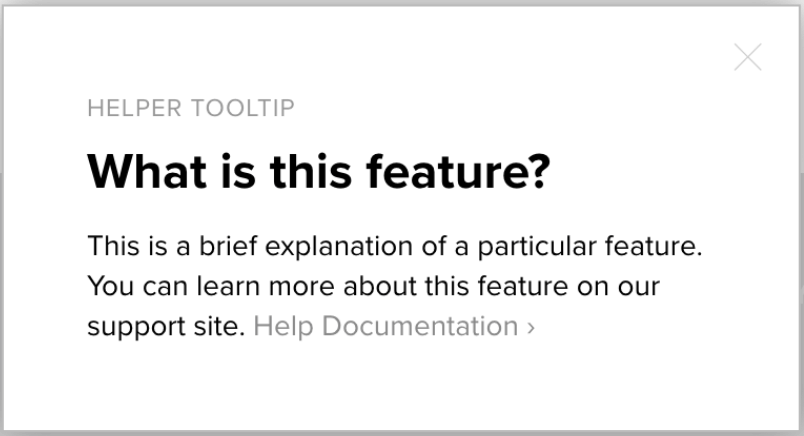
Pendo In-app Guides also offer the ability to provide users with just-in-time and contextual support. You can use insights from common support tickets or product usage data to build in-app guides that can both proactively answer frequently asked questions and help users get through tricky workflows—while also reducing the burden on your support team. Embedded guides work particularly well for persistent help content that should feel like a natural part of your interface rather than an interruption.
3. Onboarding walkthrough
Recommended layout: Lightbox and tooltips
Customer success teams can use guides to build in-app onboarding for new users, which is proven to be more effective than a series of emails or resource-intensive live sessions. In this case, we recommend leveraging a variety of formats—like a single-page onboarding welcome message, a full interactive walkthrough, and tooltips that provide additional, ongoing context.
4. “How can we improve?” survey
Recommended layout: Poll
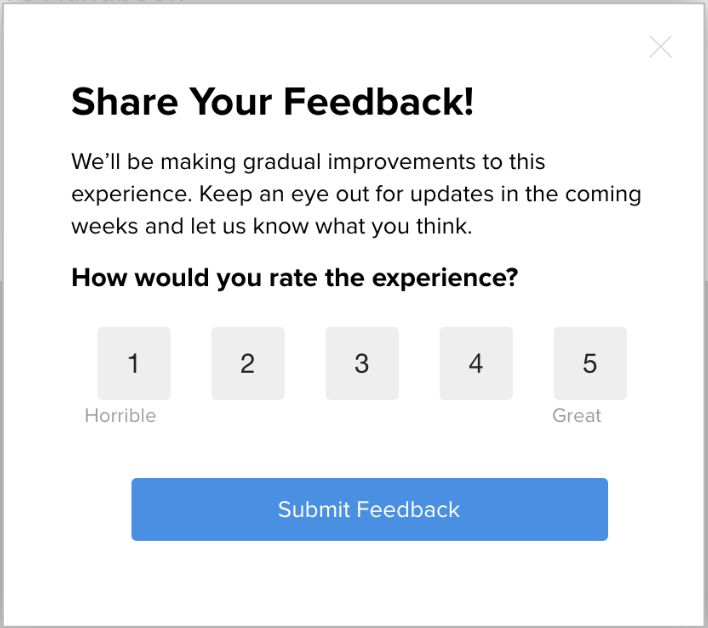
Your product is also a great mechanism for collecting feedback from users, since their experience with (and opinions of) it will be top of mind. One valuable use case is a simple in-app poll that asks users how the product can be improved. These insights can help shape your roadmap and ensure you’re building functionality that will add value to users’ experience.
5. User research
Recommended layout: Poll
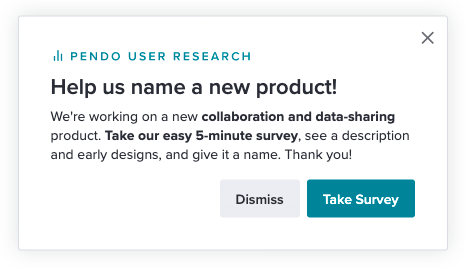
Similar to a survey asking how you can improve, Pendo In-app Guides for user research are great for when you have a specific question you want to ask at scale. For example, if you’re working to improve a certain feature, you can administer a user survey in-app and only target users who have engaged with the feature in the last three months.
6. Event promotion
Recommended layout: Banner or embedded guide
Your product is a great place to promote upcoming events, especially since you can target promotions to the exact audience who would find the event particularly valuable. If you have user groups or community meetups in certain cities, you can use metadata in Pendo to identify and target in-app guides to users in those geographic areas. Embedded guides work well for persistent event promotion that should remain visible without disrupting the user experience, while banners create urgency for time-sensitive registration deadlines.
7. Urgent communications
Recommended layout: Banner

In-app guides are also particularly useful for time-sensitive messages that can’t wait for the next newsletter, email send, or weekly sync. If there is a system outage or bug, product teams can target in-app messages to users who are affected and place them in the relevant areas of the product. Users are notified instantly, helping to reduce any added disruption to their experience and workflows.
8. Delight
Recommended layout: Lightbox
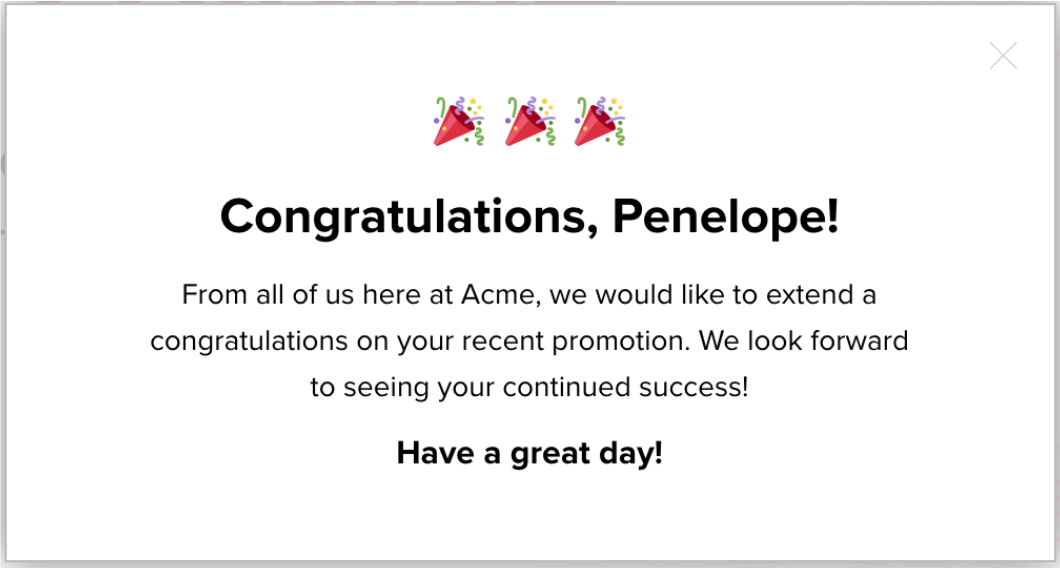
When it comes to the customer experience, small moments can make a big impact on how people view your product, your brand, and your company as a whole. In-app guides offer an easy way to add delight into the customer experience, for example with a guide that congratulates users for completing a key workflow or task.
9. Free trial upgrade
Recommended layout: Lightbox
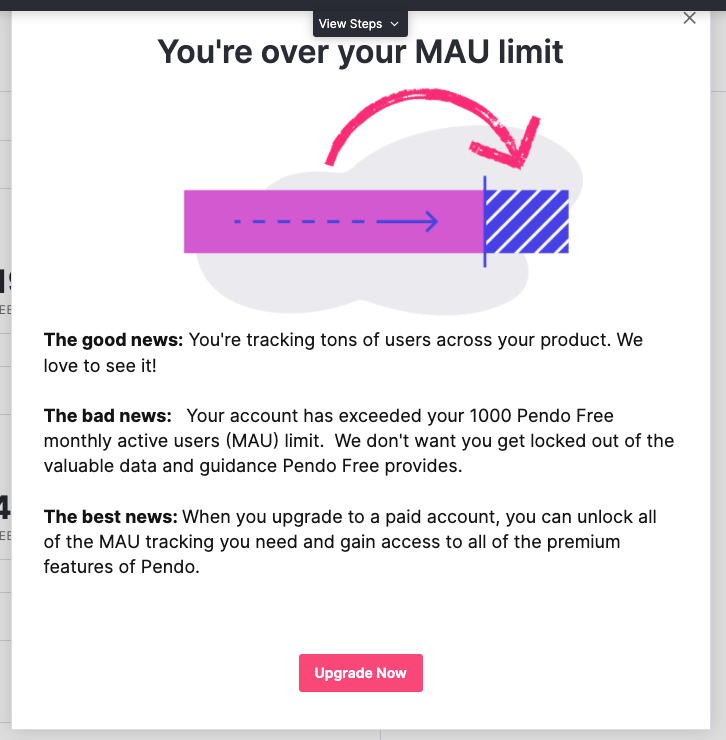
If you offer free trials of your product, your sales team can work to lead them down conversion paths inside the product, utilizing Pendo In-app Guides to educate free users about paid features and how to upgrade. You can also use product usage data in Pendo to identify which features or workflows drive conversions most effectively, and then create in-app walkthroughs that steer users to those particular features or actions in the product.
Pro tip: Guide experiments are particularly valuable here—test different upgrade messaging, pricing presentations, or call-to-action placements to optimize trial-to-paid conversion rates.
10. App version update
Recommended layout: Lightbox
With Pendo, you can leverage in-app guides to let users know (and consistently remind them) that there is a new version of your app and encourage them to update. Even better: You can use segmentation to target a lightbox guide to only those users who are still on your old app version. In the rare case that you have to move users to a new app version due to a security concern, you can communicate this in your guides to give context behind the urgency and forced change.
Bonus: Resource Center
In addition to just-in-time communication, it’s also important to leverage your product to continuously educate and support users with more than just different types of in app guides. With a Pendo Resource Center, you can house resources like support documentation, onboarding walkthroughs, and how-to videos in a single place—that users can access whenever they need them.
Ready to start creating impactful in-app guides in your product? Get started with Pendo for free today.
Frequently Asked Questions About Pendo In-App Guides
What is the difference between embedded guides and overlay guides? Embedded guides integrate directly into your product's interface as native components, becoming part of the page layout. Overlay guides (lightboxes, tooltips, banners) appear on top of your application. Embedded guides work best for persistent content that should feel natural, while overlays create more prominent interruptions for important announcements.
How do guide experiments work in Pendo? Guide experiments let you A/B test different versions of your in-app guides by showing variation A to one group of users and variation B to another. Pendo tracks engagement metrics like views, clicks, and conversions for each variation, helping you identify which messaging, design, or flow drives better results.
Does dark mode for guides work automatically? Dark mode for guides adapts to user preferences when they have dark mode enabled in your application. Your guides will automatically adjust their styling to maintain readability and visual consistency with your product's theme, without requiring separate guide configurations for light and dark modes.

![[object Object]](https://cdn.builder.io/api/v1/image/assets%2F6a96e08774184353b3aa88032e406411%2F4d3fd498d2084371881ec92a295d1d5b?format=webp)
![[object Object]](https://cdn.builder.io/api/v1/image/assets%2F6a96e08774184353b3aa88032e406411%2F9ff22b3acf8b4ea9a53fe5510823b5ad?format=webp)
![[object Object]](https://cdn.builder.io/api/v1/image/assets%2F6a96e08774184353b3aa88032e406411%2F38e671e34e79473f863a92e1a6574112?format=webp)
