Table of Contents
What is object analytics?
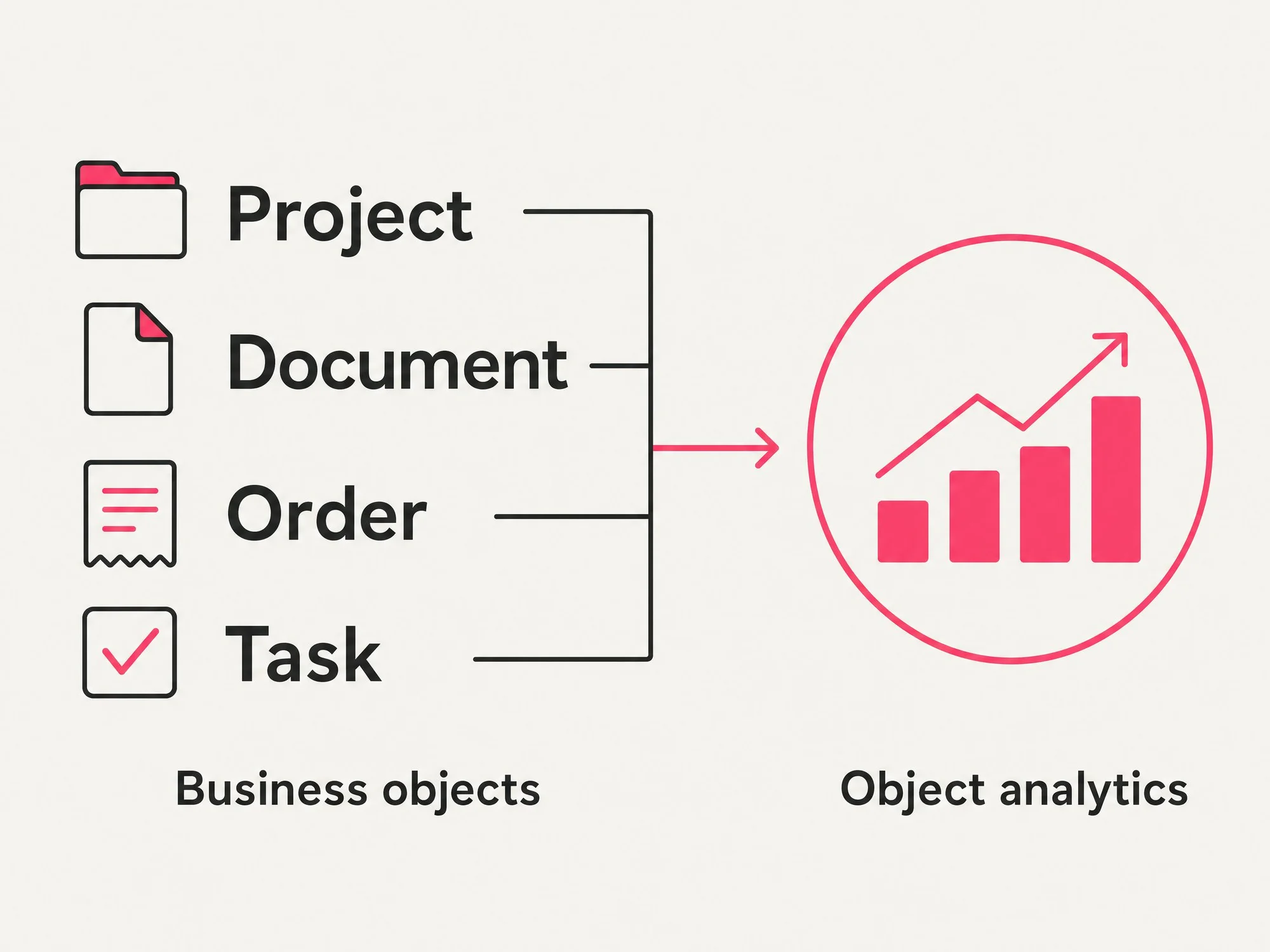
Object analytics is an analytics model that measures activity around a specific business entity inside a product, such as an order, task, deal, project, document, invoice, ticket, or device.
Traditional product analytics often focuses on the actions people take: which page they viewed, which button they clicked, which feature they used, or which event they triggered. Object analytics adds another layer by connecting those actions to the thing the user was working on.
That shift matters. In many products, the goal is not simply to get someone to click through a workflow. The goal is to help them create, update, move forward, or complete a meaningful unit of work.
For example, a project management product might not only need to know whether a user visited the project setup page. It might need to know how many project boards were created, which boards became active, how long they took to complete, and where abandoned boards dropped out of the workflow.
In object analytics, the project board is the object. The object becomes the lens for understanding whether product activity is turning into real progress.
How does object analytics work?
Object analytics works by identifying a product object with a stable value, then grouping relevant product activity around that value.
That value is often an object ID, such as orderId, projectId, dealId, documentId, or ticketId. The ID might appear in a page URL, be sent through an event property, or be captured through a software development kit. Once the object ID is available in product data, teams can analyze what happens to that object over time.
A typical object analytics workflow includes:
- Choosing a meaningful business object, such as projects, orders, or documents
- Capturing the object's unique ID through a URL, event property, or SDK event
- Grouping product activity by that object value
- Measuring object-level engagement, conversion, completion, and friction
- Comparing object trends across users, accounts, segments, and time periods
This helps teams move beyond isolated usage events. Instead of only seeing that someone clicked a button, they can see which object the action affected and whether that object kept progressing.
Why is object analytics important?
Object analytics is important because software usage does not always equal product value.
A user might visit a page, trigger several events, or spend time in a workflow without successfully completing the work they came to do. Traditional product analytics can show the activity, but it may not always show the outcome.
Object analytics helps answer a more useful set of questions:
- What work did users actually create?
- Which objects became active?
- Which objects stalled?
- Where did objects drop out of a sequence?
- How long did it take for objects to move from one stage to another?
- Which users or accounts interacted with each object?
- Which object types created the most friction?
This is especially valuable for products where the main value comes from business processes, collaboration, or asset creation. In those products, the object is often the clearest signal of whether the product is helping users succeed.
Object analytics examples
Object analytics can apply across many different types of software. The object changes by product category, but the underlying idea stays the same: measure the work asset itself, not only the interaction around it.
| Product type | Example object | Question object analytics can answer |
|---|---|---|
| CRM | Example objectDeal | Question object analytics can answerWhich deals are moving forward, stalled, or abandoned? |
| Project management | Example objectProject board | Question object analytics can answerWhich boards are created but never fully set up? |
| Ecommerce operations | Example objectOrder | Question object analytics can answerWhere do orders slow down before completion? |
| Collaboration software | Example objectDocument | Question object analytics can answerWhich documents require the most edits, comments, or revisits? |
| Support software | Example objectTicket | Question object analytics can answerWhich ticket types take longest to resolve? |
| Finance software | Example objectInvoice | Question object analytics can answerWhere do invoices get stuck before approval? |
| Asset management | Example objectDevice | Question object analytics can answerWhich devices generate the most activity or issues? |
These examples show why object analytics is sometimes described as asset-level tracking or entity-level analytics. It helps teams analyze the important "things" their product manages.
Object analytics vs. traditional product analytics
Object analytics does not replace traditional product analytics. It makes it more complete.
Traditional product analytics helps teams understand how people use software. It shows which pages users visit, which features they engage with, which paths they take, and where they drop out of workflows. This is essential for understanding user behavior.
Object analytics adds another question: What happened to the business object involved in that behavior?
| Analytics type | Primary question |
|---|---|
| Page analytics | Primary questionWhere did users go? |
| Feature analytics | Primary questionWhat did users click or use? |
| Event analytics | Primary questionWhat action happened? |
| Visitor analytics | Primary questionWhich user took action? |
| Account analytics | Primary questionWhich company or group took action? |
| Object analytics | Primary questionWhat business entity was created, changed, completed, or abandoned? |
Together, these views create a fuller picture of product behavior. A team can understand who took action, where it happened, what feature was involved, and which business object was affected.
What metrics can object analytics measure?
Object analytics can help teams measure the health and performance of the business entities inside their product.
Common object analytics metrics include:
- Number of active objects
- Number of newly created objects
- Object completion rate
- Time spent per object
- Average time to completion
- Event count per object
- Visitors per object
- Accounts per object
- Object adoption over time
- Drop-off between object lifecycle stages
- Friction signals tied to specific object values
For example, a product team might use object analytics to see whether new project boards are being created at a healthy rate, whether users are inviting collaborators, which boards stall before launch, and whether certain setup steps create repeated friction.
The goal is not just reporting. The goal is to identify where the product is helping work move forward and where the experience is getting in the way.
How does object analytics improve AI agents?
Object analytics becomes even more important as AI agents become part of product experiences.
An AI agent does not only need to know that a user clicked a button or opened a page. To be useful, it needs context about the state of the work itself. Is the project incomplete? Is the deal stuck? Has the document been abandoned? Did the invoice fail before approval?
Object analytics can help provide that context by showing how specific assets move through a product workflow. When an agent understands the object, it can respond to the user's actual goal rather than reacting only to a surface-level interaction.
For example, if a product team sees that many project boards are created but abandoned during setup, that signal could inform a better template, a contextual guide, a product improvement, or an AI-assisted workflow that helps users complete setup faster.
This is the agentic loop: product data identifies what is happening, object context explains what the user is trying to accomplish, and an intelligent system can help move the work forward.
How does Pendo support object analytics?
Pendo supports object analytics through business object analytics, which lets teams analyze product objects such as orders, tasks, projects, deals, documents, or devices using familiar product analytics tools.
In Pendo, business objects are defined from event properties that identify a specific entity. For example, a product might send an orderId, taskId, or projectId as users interact with that object. Pendo can then group activity around that object so teams can analyze engagement, trends, drop-off, time spent, and friction at the object level.
This extends the broader Pendo ecosystem. Pendo already helps teams understand users, accounts, pages, features, Track Events, funnels, paths, feedback, guides, session replay, and agent interactions. Object analytics adds another layer of product context: the business assets users are working on.
That context matters because modern software is increasingly built around workflows, automation, and AI-assisted experiences. Teams need to understand not only how people move through screens, but how work moves through the product.
With Pendo, object analytics can sit alongside visitor and account analytics, funnel analysis, dashboards, and in-app guides action. This helps teams identify where users are getting value, where work is stalling, and where a product improvement, guide, workflow, or AI-assisted action could help.
Common Questions About Object Analytics
Is object analytics the same as product analytics?
No. Object analytics is part of a broader product analytics strategy, but it focuses on the business entities inside the product. Product analytics shows how users behave across pages, features, events, paths, and funnels. Object analytics shows what happens to the objects those users are working on.
Is object analytics the same as event tracking?
No. Event tracking captures actions, such as clicks, page views, submissions, or feature usage. Object analytics connects those actions to a specific business object, making it possible to analyze the lifecycle of the object itself.
What is a business object?
A business object is a meaningful entity inside a product. Examples include an order, project, deal, document, invoice, ticket, task, or device. In object analytics, the business object becomes the unit of analysis.
What is asset-level tracking?
Asset-level tracking is another way to describe object analytics. It means tracking activity around a specific asset or entity rather than only tracking user sessions, pages, or feature clicks.
What kinds of products benefit from object analytics?
Object analytics is especially useful for products built around workflows, collaboration, operations, asset management, or business process completion. Examples include CRMs, project management tools, document platforms, support systems, ecommerce operations tools, finance software, and asset management platforms.
How does object analytics help product teams?
Object analytics helps product teams understand whether users are successfully completing meaningful work. It can reveal where objects are abandoned, which workflows take too long, which object types create friction, and which product changes might improve completion or adoption.
How does object analytics help AI agents?
Object analytics gives AI agents more context about the state of the work inside a product. Instead of only reacting to a user action, an agent can understand whether an object is incomplete, stalled, abandoned, or ready for a next step.
How does Pendo track business objects?
Pendo tracks business objects by using event properties that identify specific entities, such as an orderId, taskId, or projectId. Those object IDs can then be used to analyze object-level engagement, trends, funnels, dashboards, and friction signals.