Índice
¿Qué es el etiquetado con IA?
El etiquetado con IA se describe a veces como etiquetado automático o etiquetado automatizado. La distinción importante es que el etiquetado con IA hace más que capturar actividad: ayuda a interpretar la estructura del producto para que los equipos puedan decidir qué vale la pena rastrear y cómo deben organizarse esas etiquetas.
En los análisis de producto y las herramientas de adopción digital, las etiquetas son las que hacen que el comportamiento sea comprensible. Una etiqueta de página puede rastrear las visitas a un panel, mientras que una etiqueta de función puede rastrear el uso de un botón, filtro o paso de flujo de trabajo. Cuando las etiquetas están completas y bien mantenidas, los equipos pueden confiar en sus análisis, orientar las guías en la aplicación con mayor precisión, crear segmentos más exactos y darles a los sistemas de IA una mejor comprensión del producto.
¿Cómo funciona el etiquetado con IA?
El etiquetado con IA generalmente analiza la estructura de la aplicación de un producto, la navegación, los patrones de página y los elementos de la interfaz de usuario para determinar qué partes del producto pueden valer la pena rastrear. Luego puede recomendar etiquetas con metadatos útiles, como un nombre propuesto, descripción, área del producto, regla o relación página-función.
Un flujo de trabajo sólido de etiquetado con IA debe incluir:
- Etiquetas sugeridas de páginas y funciones
- Nombres y descripciones de etiquetas propuestos
- Áreas o agrupaciones de productos sugeridas
- Reglas de coincidencia que definen qué rastrea cada etiqueta
- Señales de confianza o calidad para las etiquetas sugeridas
- Recomendaciones para mejorar, corregir o eliminar etiquetas existentes
- Revisión humana antes de aplicar los cambios
Ese último punto es importante. El etiquetado con IA puede reducir el trabajo manual de encontrar y definir etiquetas, pero no debe eliminar el control humano. Los equipos de producto aún necesitan decidir qué sugerencias son relevantes, qué tan granular debe ser su estrategia de etiquetado y si la estructura resultante refleja cómo el negocio entiende el producto.
¿Por qué es importante el etiquetado con IA?
El etiquetado manual genera un backlog de instrumentación persistente. Los equipos suelen necesitar análisis de producto rápidamente, pero primero deben decidir qué páginas y funciones rastrear, definir reglas, nombrar todo de manera coherente y mantener esas etiquetas actualizadas a medida que el producto cambia.
Cuando la cobertura de etiquetado es incompleta u obsoleta, el impacto se hace visible en toda la organización de producto. Los análisis reflejan solo lo que alguien recordó etiquetar. Las guías en la aplicación pueden apuntar a la ubicación incorrecta o no llegar a la audiencia prevista. Los segmentos se construyen a partir de datos de comportamiento incompletos. Los insights generados por IA se ven limitados por las brechas en el mapa del producto. Los equipos dedican tiempo a mantener la instrumentación en lugar de actuar sobre los insights.
El etiquetado con IA ayuda a reducir esa carga al transformar el etiquetado de una tarea de configuración completamente manual a un flujo de trabajo de revisión guiada. El objetivo no es etiquetar todo automáticamente. El objetivo es construir y mantener la cobertura de las cosas correctas, con menos esfuerzo manual.
Cada informe de análisis, objetivo de guía, segmento de comportamiento e insight generado por IA depende de un mapa de producto claro. Si las páginas y funciones correctas no están etiquetadas, los equipos trabajan con una imagen incompleta de cómo los usuarios realmente navegan por el producto.
El etiquetado con IA ayuda a construir ese mapa mediante el uso de inteligencia artificial para identificar páginas, funciones, áreas del producto e interacciones en un producto digital, y luego sugiere etiquetas estructuradas que los equipos pueden revisar y aplicar. Estas etiquetas ayudan a convertir el uso bruto del producto en datos organizados y significativos, al darle a la actividad del producto nombres claros, reglas, descripciones y relaciones.
Etiquetado con IA vs. etiquetado automático
El etiquetado automático es un término más amplio para aplicar o sugerir etiquetas de forma automática. El etiquetado con IA es una forma específica de etiquetado automático que utiliza inteligencia artificial para comprender la estructura del producto, identificar páginas y funciones relevantes, y recomendar etiquetas estructuradas.
Etiquetado con IA vs. captura automática
El etiquetado con IA está relacionado con la captura automática, pero ambos no son lo mismo.
La captura automática registra la actividad bruta del usuario, como clics, vistas de página y otros eventos, a menudo sin requerir que los equipos definan cada evento de antemano. Esto puede generar una cobertura conductual amplia, pero los eventos capturados en bruto pueden carecer de nombres significativos, jerarquía, áreas del producto o contexto de negocio.
El etiquetado con IA agrega estructura. Ayuda a identificar qué interacciones capturadas son relevantes, las nombra de una manera que los equipos puedan entender y las organiza en páginas, funciones y áreas del producto útiles.
En resumen: la captura automática recopila actividad; el etiquetado con IA ayuda a convertir esa actividad en un mapa de producto organizado.
¿El etiquetado con IA reemplaza el etiquetado manual?
El etiquetado con IA puede reducir el esfuerzo manual necesario para crear y mantener etiquetas, pero no reemplaza el criterio del producto. Los equipos aún deben decidir qué sugerencias aceptar, qué convenciones de nomenclatura seguir, qué tan detallada debe ser su estructura de etiquetas y qué partes del producto son más importantes para los análisis, la orientación de guías, la segmentación y la IA.
Por ejemplo, un sistema de IA podría identificar varios botones, filtros, páginas o elementos de navegación. Un gerente de producto puede decidir rastrear solo los elementos vinculados a flujos de trabajo significativos o metas de adopción. El etiquetado con IA acelera el descubrimiento y la configuración, mientras que los revisores humanos mantienen la estrategia de etiquetado alineada con el contexto del negocio.
¿Qué hace confiable a una etiqueta generada por IA?
Una etiqueta confiable depende de una regla estable. Si una etiqueta se basa en un identificador sólido, como un atributo HTML personalizado o un ID de elemento, es más probable que siga funcionando cuando el producto cambie. Si una etiqueta depende de selectores más débiles, como texto visible o la posición de un elemento en la página, puede dejar de funcionar cuando cambie el contenido, el diseño o el código.
Los buenos sistemas de etiquetado con IA deben señalar las reglas más débiles para que los equipos puedan revisarlas. En algunos casos, los equipos de producto e ingeniería pueden optar por agregar identificadores más estables a los elementos clave de la interfaz de usuario, de modo que las sugerencias de etiquetas futuras sean más sólidas.
¿Cómo mejora el etiquetado con IA los análisis de producto?
Los análisis de producto dependen de una comprensión clara de lo que los usuarios hacen dentro del producto. Si las páginas o funciones importantes no están etiquetadas, los equipos pueden perder de vista los patrones de adopción, los puntos de abandono, la fricción en los flujos de trabajo o las oportunidades de mejora.
El etiquetado con IA ayuda a mejorar el análisis de producto al facilitar el establecimiento y mantenimiento de la cobertura de etiquetas. Con una mejor cobertura, los equipos pueden responder preguntas como:
- ¿Qué funciones están adoptando realmente los usuarios?
- ¿En qué punto abandonan los usuarios un flujo de trabajo?
- ¿Qué cuentas están interactuando con las áreas de alto valor del producto?
- ¿Qué partes del producto necesitan una mejor incorporación o guía?
- ¿Cómo varía el comportamiento según el rol, segmento, plan o etapa del ciclo de vida?
Cuanto más completo y estructurado sea el mapa del producto, más confiable será el análisis.
¿El etiquetado con IA es compatible con guías en la aplicación, segmentos e IA?
Sí. Las etiquetas no solo se usan para los informes. También ayudan a los equipos a orientar las guías en la aplicación, definir segmentos de comportamiento y proporcionar a las herramientas de IA una comprensión estructurada del producto.
Para las guías en la aplicación, las etiquetas precisas ayudan a los equipos a entregar mensajes en el lugar correcto, a los usuarios correctos, en el momento adecuado. Para la segmentación, las etiquetas completas ayudan a los equipos a definir audiencias basadas en el comportamiento real del producto. Para la IA, las etiquetas estructuradas proporcionan un contexto más claro sobre cómo está organizado el producto y cómo interactúan los usuarios con él.
El etiquetado con IA ayuda a fortalecer el mapa del producto del que dependen los sistemas de análisis, guías, segmentos e IA.
Etiquetado con IA en Pendo
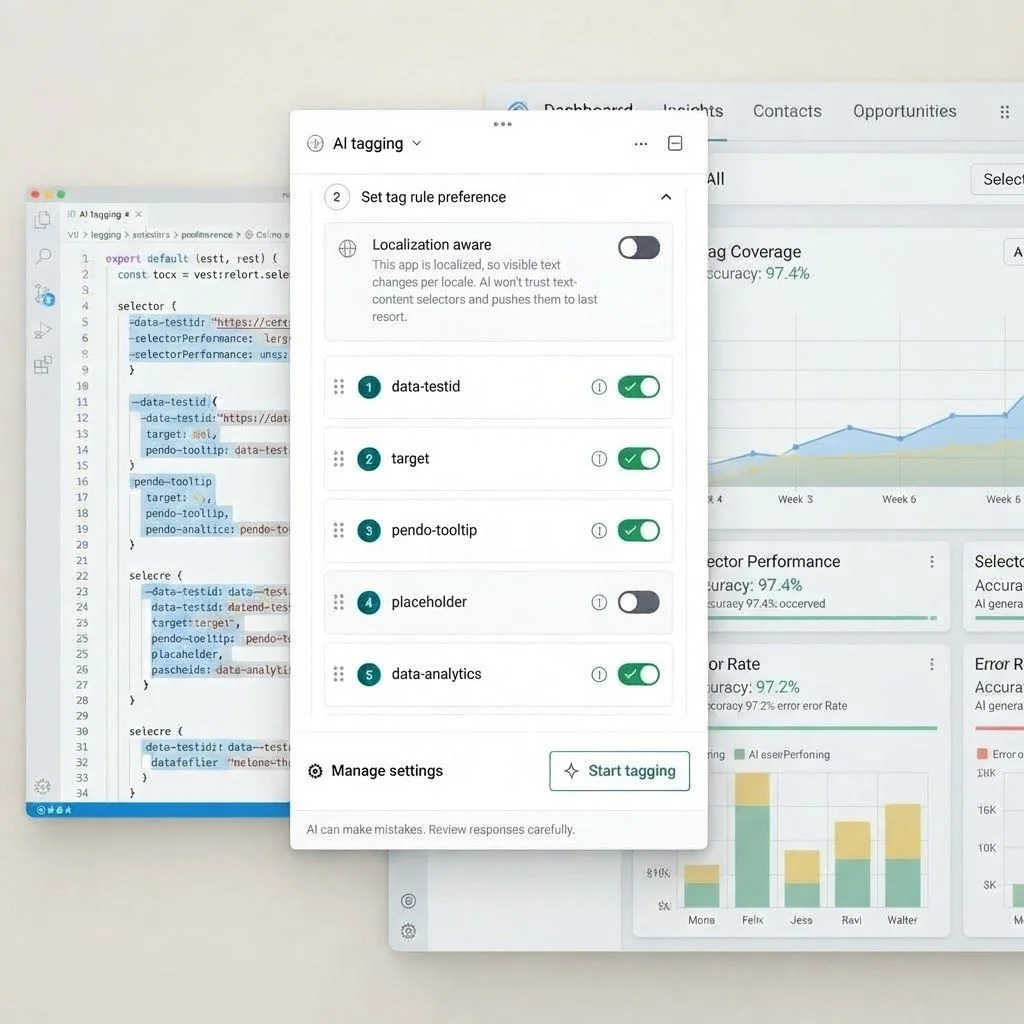
En Pendo, el etiquetado con IA funciona dentro del Visual Design Studio. Lee la configuración de enrutamiento y el DOM de una aplicación, y luego sugiere etiquetas de páginas y funciones para su revisión.
Cada sugerencia puede incluir un nombre propuesto, una regla, una descripción, un área de producto y una relación de página a función. El etiquetado con IA de Pendo también puede mostrar nuevas sugerencias de etiquetas, mejoras a las etiquetas existentes y correcciones o eliminaciones de etiquetas rotas o en desuso.
El etiquetado con IA no es un producto independiente de Pendo. Es una función que ayuda a que múltiples capacidades de Pendo funcionen a partir de un mapa de producto más limpio. Una vez que las páginas y funciones están etiquetadas, los equipos pueden usar esa estructura en Product Analytics, guías en la aplicación, segmentos y flujos de trabajo impulsados por IA, como Leo.
El etiquetado con IA de Pendo está basado en revisión. No se crea, modifica ni elimina nada hasta que un usuario revisa las sugerencias y acepta los cambios seleccionados. Pendo también incluye salvaguardas para la calidad de las etiquetas y el manejo de datos, incluida la sanitización del lado del cliente antes del análisis con IA y preferencias de selectores que priorizan reglas más sólidas, como atributos HTML personalizados e IDs de elementos.
Preguntas frecuentes sobre el etiquetado con IA
¿El etiquetado con IA es lo mismo que el etiquetado automático?
El etiquetado con IA es un tipo de etiquetado automático. El etiquetado automático es la idea más amplia de aplicar o sugerir etiquetas de forma automática, mientras que el etiquetado con IA utiliza inteligencia artificial para comprender la estructura del producto y recomendar etiquetas significativas.
¿El etiquetado con IA es lo mismo que la captura automática?
No. Autocapture registra la actividad sin procesar, mientras que el etiquetado con IA ayuda a organizar la actividad en páginas, funciones y áreas de producto con nombre. Autocapture crea cobertura; el etiquetado con IA agrega estructura y significado.
¿El etiquetado con IA puede cambiar o eliminar etiquetas automáticamente?
Depende del sistema, pero un flujo de trabajo basado en revisión es lo más seguro. En el etiquetado con IA de Pendo, los cambios no se aplican hasta que un usuario selecciona qué sugerencias aceptar.
¿El etiquetado con IA funciona con etiquetas existentes?
Sí, el etiquetado con IA puede complementar las etiquetas existentes al sugerir mejoras, identificar etiquetas rotas o recomendar la eliminación de etiquetas que ya no coinciden con la estructura del producto.
¿El etiquetado con IA reemplaza el etiquetado manual?
El etiquetado con IA reduce el trabajo manual que implica crear y mantener etiquetas, pero los equipos aún necesitan revisar las sugerencias y decidir qué se debe rastrear.
¿El etiquetado con IA es lo mismo que el etiquetado automático de comentarios?
No. El etiquetado automático de feedback categoriza el feedback cualitativo, como solicitudes o comentarios. El etiquetado de Product AI identifica páginas y funciones en una aplicación para análisis, guías, segmentación e insights de IA.
¿El etiquetado de IA cubre los eventos de seguimiento?
No siempre. En la versión actual de etiquetado de IA de Pendo, el etiquetado de IA se enfoca en páginas y funciones de la estructura de la aplicación. Los eventos de seguimiento con código personalizado están fuera del alcance de la versión actual.