Crear un agente nunca había sido tan fácil. Cualquiera con una tarde libre y una herramienta de vibe coding puede crear uno. (No estamos juzgando. Nosotros hemos lanzado cosas más raras un viernes.) Pero lograr que ese agente valga la pena usarlo no se ha vuelto nada más fácil.
Gartner estima el costo de esa brecha: $376.3 mil millones en gasto en software de agentes de IA solo en 2027, con más de el 40% de esos proyectos probablemente cancelados — porque nadie pudo demostrar que el agente funcionaba.
Ese es exactamente el problema que nos propusimos resolver hace 18 meses, cuando creamos Agent Analytics. Nuestro objetivo era ayudar a los clientes a responder una pregunta: ¿este agente realmente está ayudando a las personas que lo usan? Después de más de 47 millones de conversaciones con agentes, seguíamos escuchando lo mismo: los agentes pasan las evaluaciones, pero no están ayudando realmente si no saben qué intenta lograr el usuario. Ese es el problema que Pendo Agent Toolkit fue creado para resolver, y por eso hoy reunimos ambos como Pendo for Agents hoy.
Capítulo uno: Agent Analytics y lo que 500 empresas nos enseñaron
Cuando las primeras empresas comenzaron a etiquetar agentes dentro de Pendo, todas tenían un product manager de IA haciendo una pregunta que no tenía nada que ver con el tiempo de actividad: ¿el agente realmente estaba ayudando a las personas que lo usaban?
Tenían recuentos de sesiones y gasto en tokens de cualquier herramienta de observabilidad orientada a desarrolladores que el equipo de ingeniería había instalado. Nada de eso les decía a los PMs si un piloto de agente estaba listo para pasar a beta, y mucho menos si el agente podía convertirse en un producto generador de ingresos.
Por eso creamos Agent Analytics para responder la pregunta que las herramientas de observabilidad orientadas a desarrolladores no pueden: ¿los usuarios están obteniendo valor de mi agente? Y después de ayudar a ~500 empresas a crear, implementar y escalar agentes, seguimos viendo las mismas cuatro lecciones, una y otra vez.
1. La retención decide si un agente avanza a la siguiente etapa, no el tiempo de actividad. Un agente puede tener registros limpios y superar cada verificación de evaluación, y aun así no estar listo para escalar. Cuando Ticketmaster decidió si su agente estaba listo para salir de un piloto limitado, los números que les dieron confianza fueron la retención y los prompts de frustración — no un certificado de buena salud de ingeniería.
2. Las señales más importantes suelen no reportarse. Un pulgar hacia abajo solo viene de alguien que se toma el tiempo de dar retroalimentación, y eso es una fracción de las personas que en realidad están frustradas.
El resto se manifiesta como comportamiento dentro de la aplicación (como la frustración al escribir repetidamente y el abandono). Nada de esto se detecta, porque capturan lo que el usuario escribió, no lo que ocurrió después.

3. Los PMs deben definir el éxito por sí mismos, no simplemente esperar a que el sistema lo encuentre. El éxito no siempre se parece a una compra completada. A veces, el éxito significa que el usuario obtuvo la respuesta específica que buscaba, dentro de la conversación con el agente. Por eso creamos las Métricas de éxito personalizadas y te dimos la posibilidad de crear tus propios casos de uso y problemas: cada agente resuelve problemas distintos, y deberías poder medir lo que importa para ti.
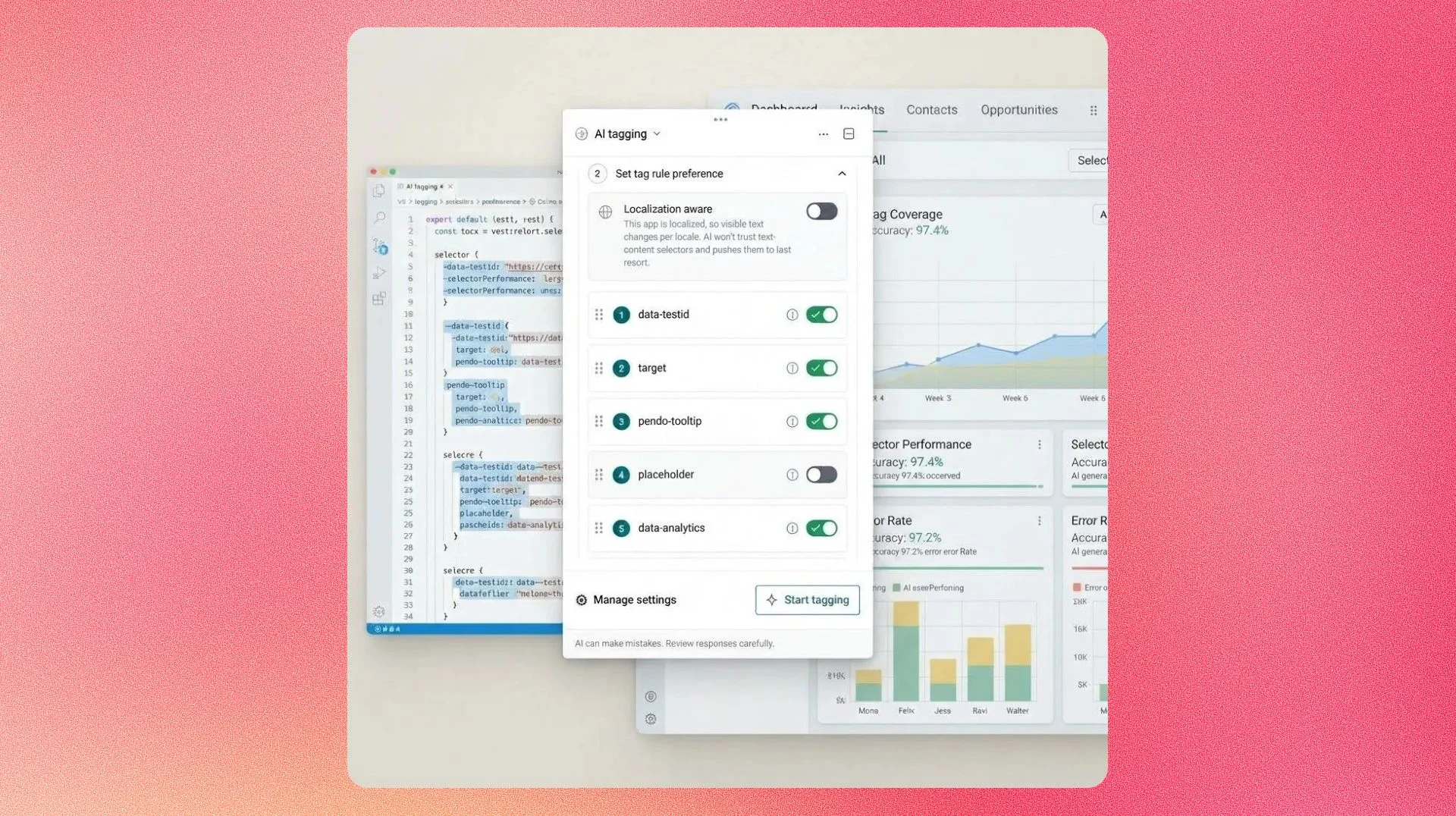
4. Agent Analytics se vuelve más útil cuanto más cerca está de tu código. Algunos equipos ya están usando el conector MCP para Agent Analytics para crear bucles automatizados: Agent Analytics detecta el problema, los datos fluyen hacia el entorno de ingeniería y la solución se define sin que nadie tenga que cambiar de herramienta. Es el mismo bucle que nuestro propio equipo ejecuta en Leo, donde ha impulsado un aumento del 61 % en visitantes recurrentes y una caída del 67 % en la tasa de incidencias en los últimos 60 días.
Lo que Agent Analytics nos mostró después
Incluso después de esos aprendizajes, descubrimos otro problema: un agente zombie. Estos agentes funcionan técnicamente —responden indicaciones y superan cada verificación de evaluación—, pero no tienen noción de con quién están hablando realmente. El nombre se quedó.
Si abres un agente dentro de tu aplicación favorita, esperas que te conozca. Nadie quiere explicar qué acaba de intentar y no logró hacer, ni por qué recurre al agente para pedir ayuda. Por eso creamos algo para darles a los agentes exactamente eso: Agent Toolkit, la otra mitad de Pendo for Agents.
Capítulo dos: presentamos Agent Toolkit, el contexto que convierte un chatbot en un aliado
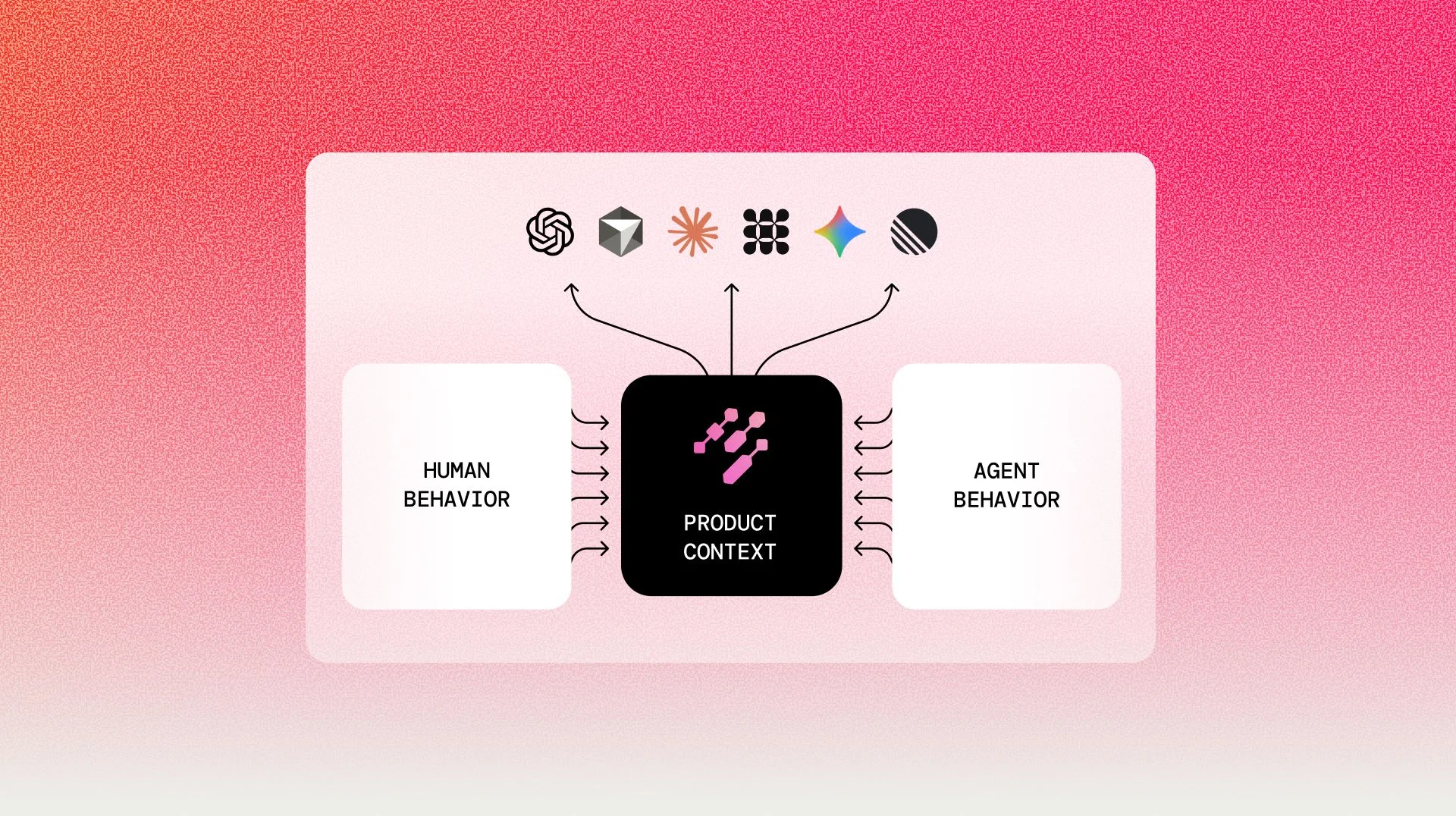
Agent Toolkit le brinda a cualquier agente el contexto de producto y usuario que Pendo ya captura, entregado al agente en tiempo real:
- Contexto de sesión: un registro en tiempo real de lo que alguien ha hecho en tu producto, para que el agente ya conozca ese historial.
- Señales de frustración: clics de rabia, clics muertos, retrocesos y errores, enviados directamente al agente para que pueda intervenir antes de que alguien abra un ticket.
- Recordatorios de flujo de trabajo: le recuerda a alguien exactamente dónde lo dejó si se detiene a mitad de un proceso específico.
- Presentación de guías: dirige a la guía paso a paso, el consejo o el tutorial exacto que resuelve lo que les tiene atascados, en lugar de que el agente lo explique desde el principio o los envíe a un artículo de ayuda extenso.

Esta es la solución real para un agente zombie. No un modelo mejor. No un system prompt más largo. Contexto. Funciona sin importar si tu agente es una herramienta de terceros como Fin, Sierra, Zendesk o Decagon, o algo que tu equipo construyó desde cero.
Teachable lo vivió de primera mano. Su agente de soporte, construido sobre Fin de Intercom, no tenía idea de qué página acababa de dejar un usuario ni cuántas veces había hecho clic en el mismo botón roto antes de abrir un chat — un agente zombie de manual. Una vez que Pendo comenzó a enviarle ese contexto a Fin en tiempo real, el agente podía abrir con algo específico: "Parece que tuviste algunos problemas al ajustar tu configuración. ¿Qué estabas intentando cambiar?"
La interacción con los mensajes proactivos aumentó un 200 %. El 86 % de esas conversaciones se resolvieron sin escalar a un humano, manteniendo una puntuación de CX de 4 sobre 5 estrellas. Y lo mejor de todo: el 91 % nunca necesitó uno.
Primeros pasos con Pendo for Agents: menos zombie, más defensor.
Hoy, Agent Analytics y Agent Toolkit conviven bajo un mismo techo: Pendo for Agents, diseñado para convertir cualquier agente —construido o comprado— en el mejor defensor del cliente, en lugar de otro zombie en el stack. Agent Analytics responde si un agente está ayudando. Agent Toolkit lo hace mejor en esa tarea, antes de que el usuario siquiera entre al chat. Una mitad demuestra el valor; la otra lo alcanza más rápido.

Si gestionas soporte o TI, así es como tus agentes dejan de reaccionar a los tickets y liberan a tu equipo para las conversaciones que realmente necesitan un humano.
Si eres responsable del roadmap, así es como finalmente sabes qué debe hacer tu agente a continuación.
Si tienes un asistente en la aplicación, un agente de soporte al cliente o algo que tu propio equipo desarrolló, solicita una demo para ver qué hacen las conversaciones proactivas y conscientes del contexto en tu tasa de resolución.
¿Ya usas Pendo? Comienza a usar Agent Toolkit de forma gratuita durante la beta abierta. Simplemente visita tu plataforma de Pendo y activa Agent Toolkit.